Calendar sync
Sync your job schedule with Google Calendar and Apple Calendar
Your visits in the calendar you already check, and your personal appointments kept out of the slots customers can book.
14-day free trial, no card · listing and leads free forever
Why pros use it
One calendar on your phone
Work visits sit beside family plans in Google or Apple Calendar, so you stop checking two places before saying yes to anything.
No double-booking
With Google Calendar connected, busy times from your own calendar keep online booking from offering those slots, so a customer cannot book the afternoon of your kid’s game.
Safe to share
The calendar feed is read-only and never shows prices, so it can go on a shared family calendar without showing what you charge, and nobody can move a visit from there by accident.
How it works
Open your connections
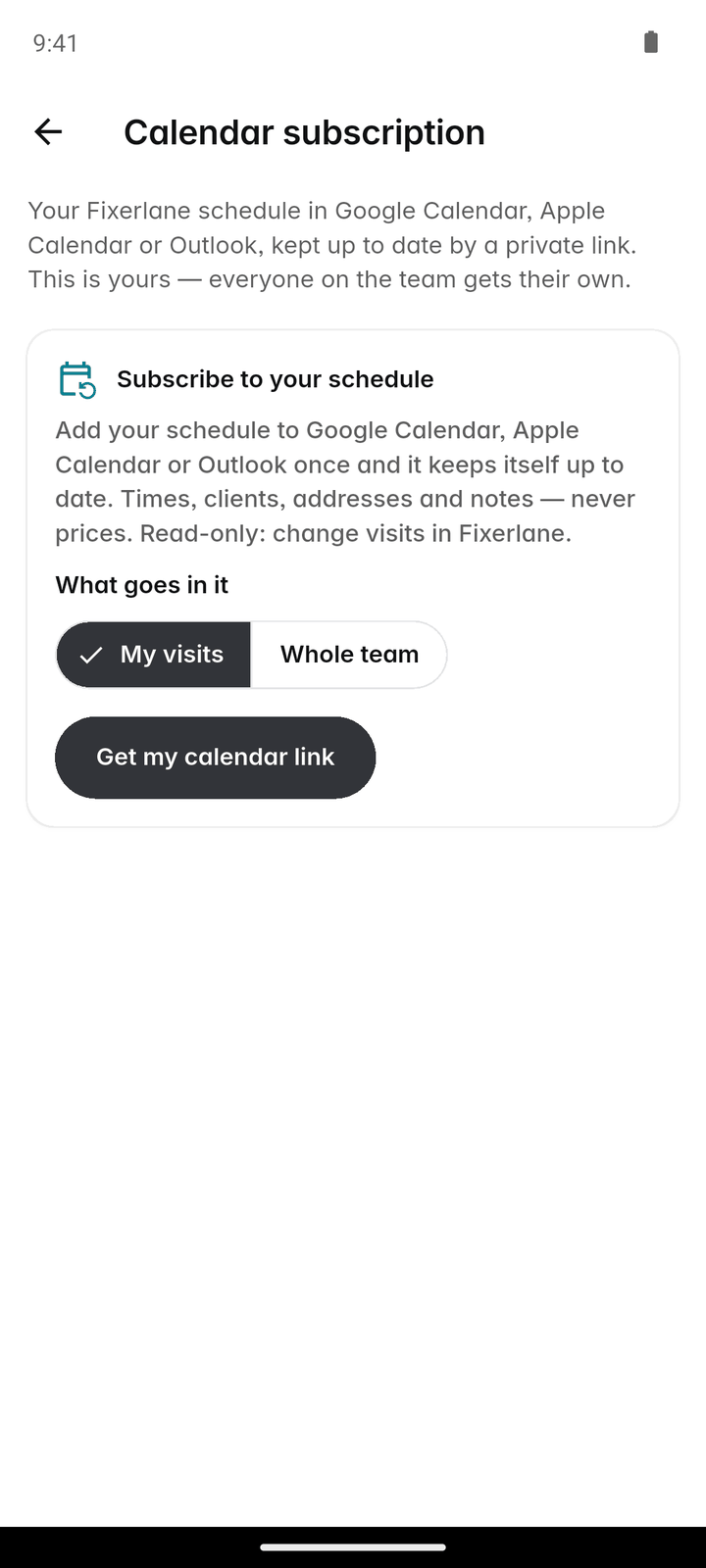
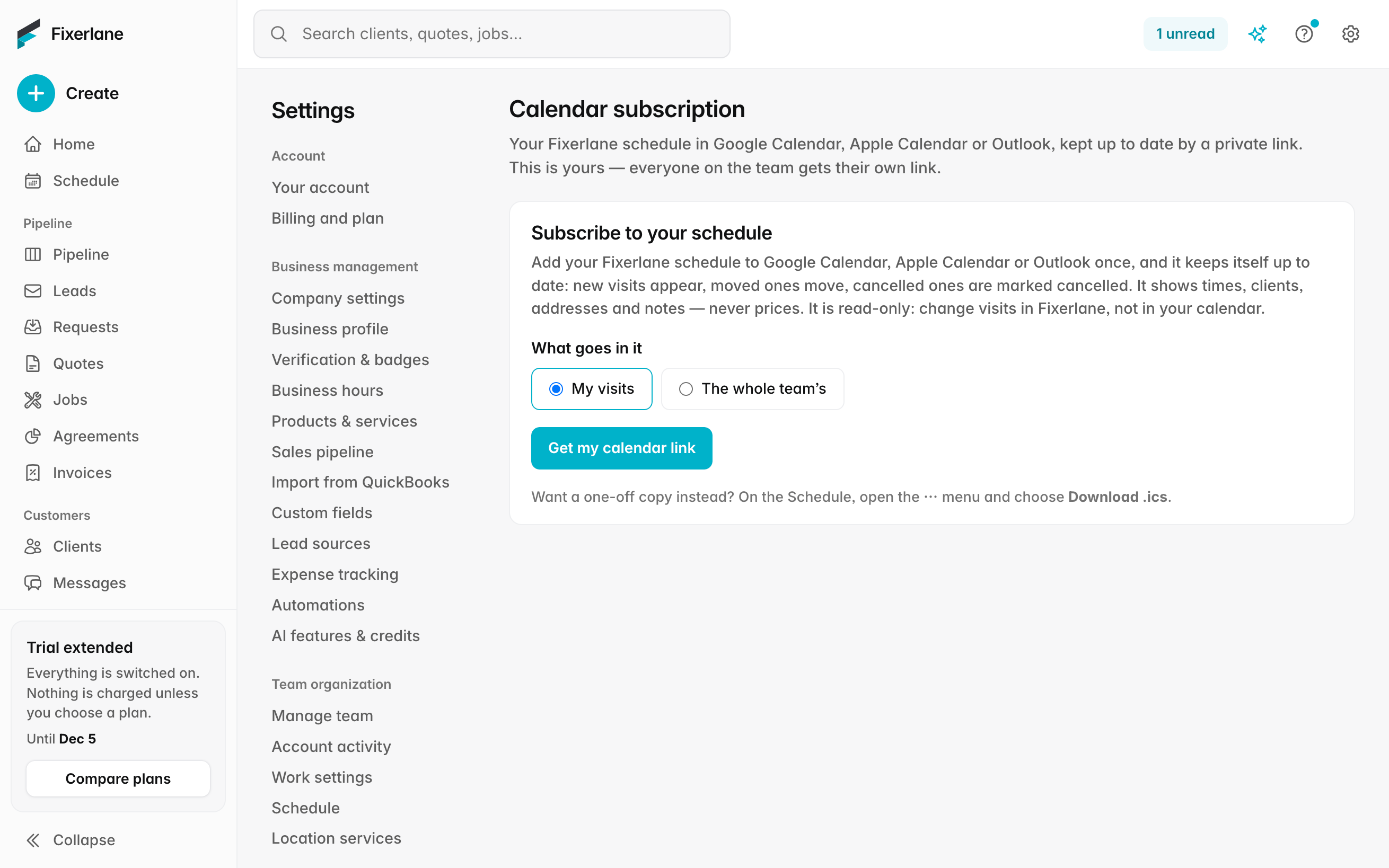
Settings → Account connections, or More → Apps & integrations → "Subscribe to your schedule".
Choose what goes in
Your own visits, or the whole team’s. Crew members get their own visits only.
Get the link
Tap "Get my calendar link", then "Add to Google Calendar" or "Add to Apple Calendar", or copy the link into any calendar app that subscribes to a link.
Check it arrived
Open your calendar app: your visits appear as their own calendar, which you can colour, hide or show like any other.
Connect Google Calendar, if you want both ways
On the web at pro.fixerlane.com, each person can connect their own Google Calendar for visits in a Fixerlane calendar and busy times read back.
In more detail
The subscription link
A private link that any calendar app can subscribe to. It shows your Fixerlane visits from 30 days back to a year ahead, keeps itself up to date and is read-only. Google refreshes subscribed calendars on its own schedule, often every few hours, so a visit moved a minute ago may take a while to appear there; Fixerlane itself always has it straight away. The team version is handy for an office manager or a partner who plans around the crew, and because crew members only get their own visits, nobody sees more of the schedule than their role allows.
Google Calendar sync
Connected per person on the web, it adds a separate "Fixerlane" calendar to your Google account and keeps your visits in it. From the calendars you choose, Fixerlane reads only the start and end of busy periods, never the titles, places or guests, so online booking does not offer times you are busy. Move a visit in the Fixerlane calendar and the visit moves in Fixerlane too. It is set up per person, so each member of the team connects their own account, and disconnecting stops the sync and removes the access Fixerlane was given.
If the link gets out
Anyone with the subscription link can see the schedule it covers. If it is shared by mistake, tap "Make a new link": the old one stops working at once, and you add the new one to your calendar app. Treat the link like a key to the schedule: share it with the people who need the visits in their own calendar, and nobody else. When someone leaves the team, a new link is the quickest way to be sure an old copy shows nothing.
A one-off copy
Schedule → ⋮ → "Export to calendar (.ics)" shares one to four weeks as a file, for someone who only needs a snapshot: a subcontractor, a property manager, or yourself before a trip. It does not update, so use the subscription link for anything you want kept current, and remember the file shows whatever visits were in it on the day you shared it.
What it costs
Included in every plan: Fixerlane $19.99 a month for up to 10 people, Fixerlane Team $39.99 for up to 25, Fixerlane Business $69.99 for up to 50. Every plan starts with a 14-day free trial, and no card is needed to start.
See all plans →Not built yet
Listed here rather than discovered after you sign up:
- A connected sync with Outlook: Outlook can still subscribe to the calendar link and show your visits
- Creating Fixerlane visits from events you add in Google Calendar
Common questions
- Does it work with Apple Calendar on iPhone?
- Yes. Tap "Add to Apple Calendar" after getting your link, and your visits appear as a subscribed calendar.
- Can I use Outlook?
- Outlook can subscribe to the calendar link and show your visits. A connected two-way sync is only available with Google Calendar.
- Will customers’ prices show in my calendar?
- No. The calendar feed never shows prices, so it is safe on a calendar that family or a business partner can see. Quotes, invoices and payments stay in Fixerlane.
- Why has a change not appeared in Google Calendar yet?
- Google refreshes subscribed calendars on its own schedule, often every few hours. With Google Calendar connected on the web, visits are kept in the Fixerlane calendar directly.
- Does Fixerlane read my personal events?
- With Google Calendar connected, Fixerlane reads only the start and end times of busy periods from the calendars you choose, never their titles, descriptions, locations or guests.
- Can each person on my team connect their own calendar?
- Yes. The subscription link and the Google Calendar connection are per person, and crew members only ever see their own visits.
- How do I stop a shared link working?
- Tap "Make a new link". The old link stops working straight away, and anyone still subscribed to it sees nothing new. Add the new link wherever you still want the schedule to show.
- Can I change a visit from my phone’s calendar?
- Only through Google Calendar sync: move a visit in the Fixerlane calendar and the visit moves in Fixerlane. The subscription link is read-only, so changes are made in Fixerlane, where the customer can be emailed about the new time if you choose.
Works well with
Scheduling
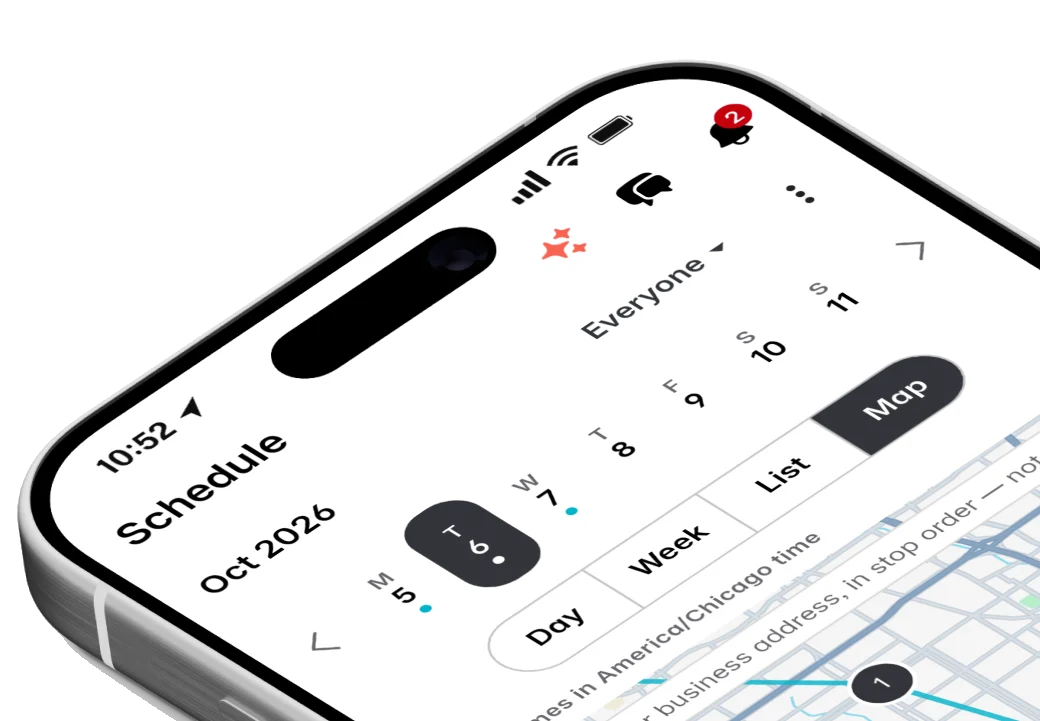
Jobs, visits and arrival windows laid out by day and by person, so you can see the week at a glance and move it around without a phone call to every customer.
Online booking
Customers pick a time that is actually free, from your business hours and what is already on the schedule. The booking lands on your calendar as a job with its visit, and nobody has to call back to confirm.
Mobile app
Everything the web console does is in the app, and the app keeps working in basements, crawl spaces and dead zones. Changes wait on the phone and send themselves when signal comes back.
Team and crews
Add the people who work for you, decide what each of them can see and do, and put them into crews you can send to a job in one go. Plans are priced by team size, not per user.
The same tools in the Fixerlane app
Fixerlane runs in the browser and on Android and iPhone, with the same tools in each. The app keeps your day on the phone, so it keeps working without signal.

Try it on your own work
Start the 14-day trial with no card, or claim your free listing first and add the tools later.
All features →