Email campaigns
Email campaigns to your own clients
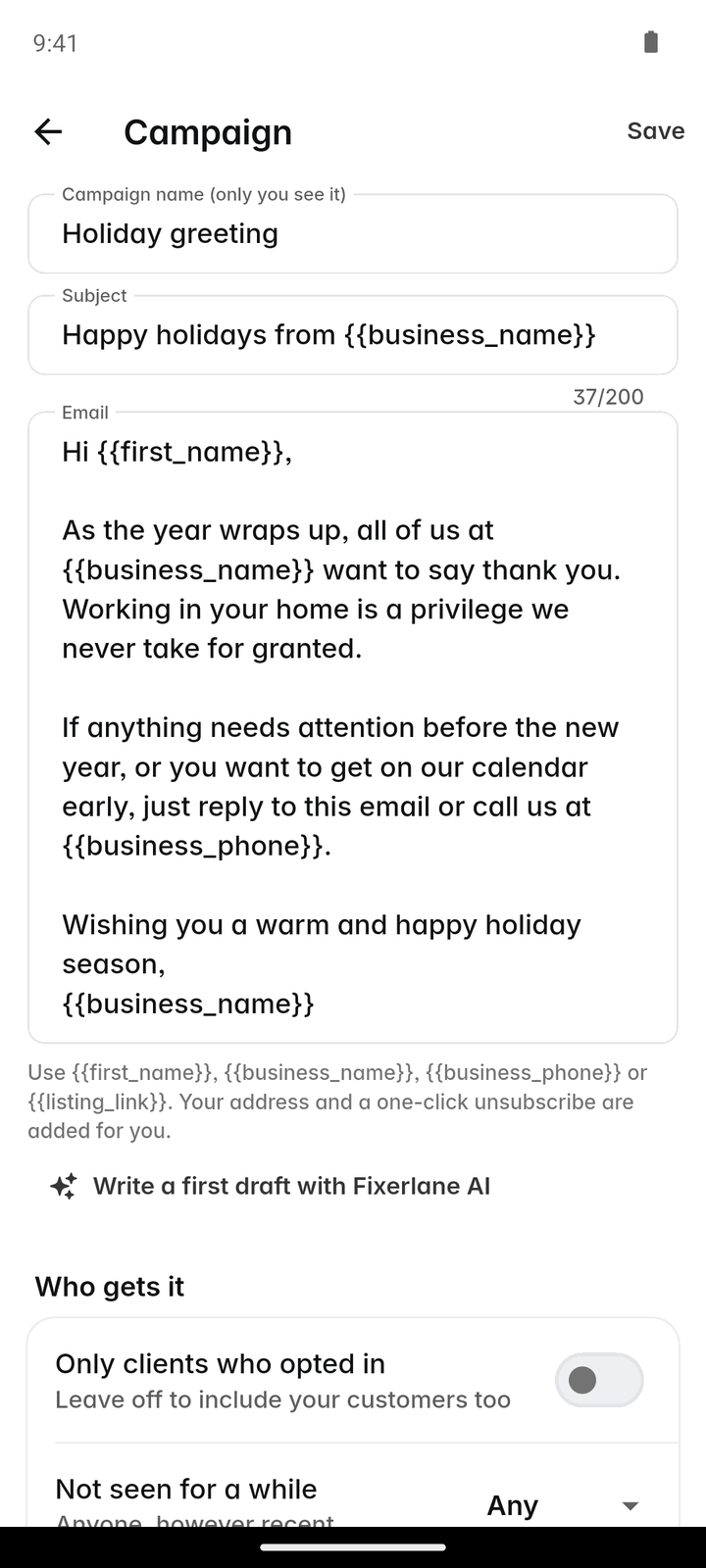
Write one email, pick which of your clients get it, and send. Every email carries an unsubscribe link that works on its own, and you see who opened and clicked.
14-day free trial, no card · listing and leads free forever
Why pros use it
Built from your client list
Campaigns go to people who are already your clients in Fixerlane. There is no list to export, clean and upload to another tool, and no second list to keep in step when a client moves or changes their email address.
Unsubscribe is handled
Every campaign email has an unsubscribe link. When a client uses it, they are left out of every campaign after that, without you having to remember.
See what worked
Each campaign shows how many were sent, opened and clicked, so you know whether the spring tune-up email did anything before you send the next one. Clicks on your booking link show up again as requests, which is the number that matters.
How it works
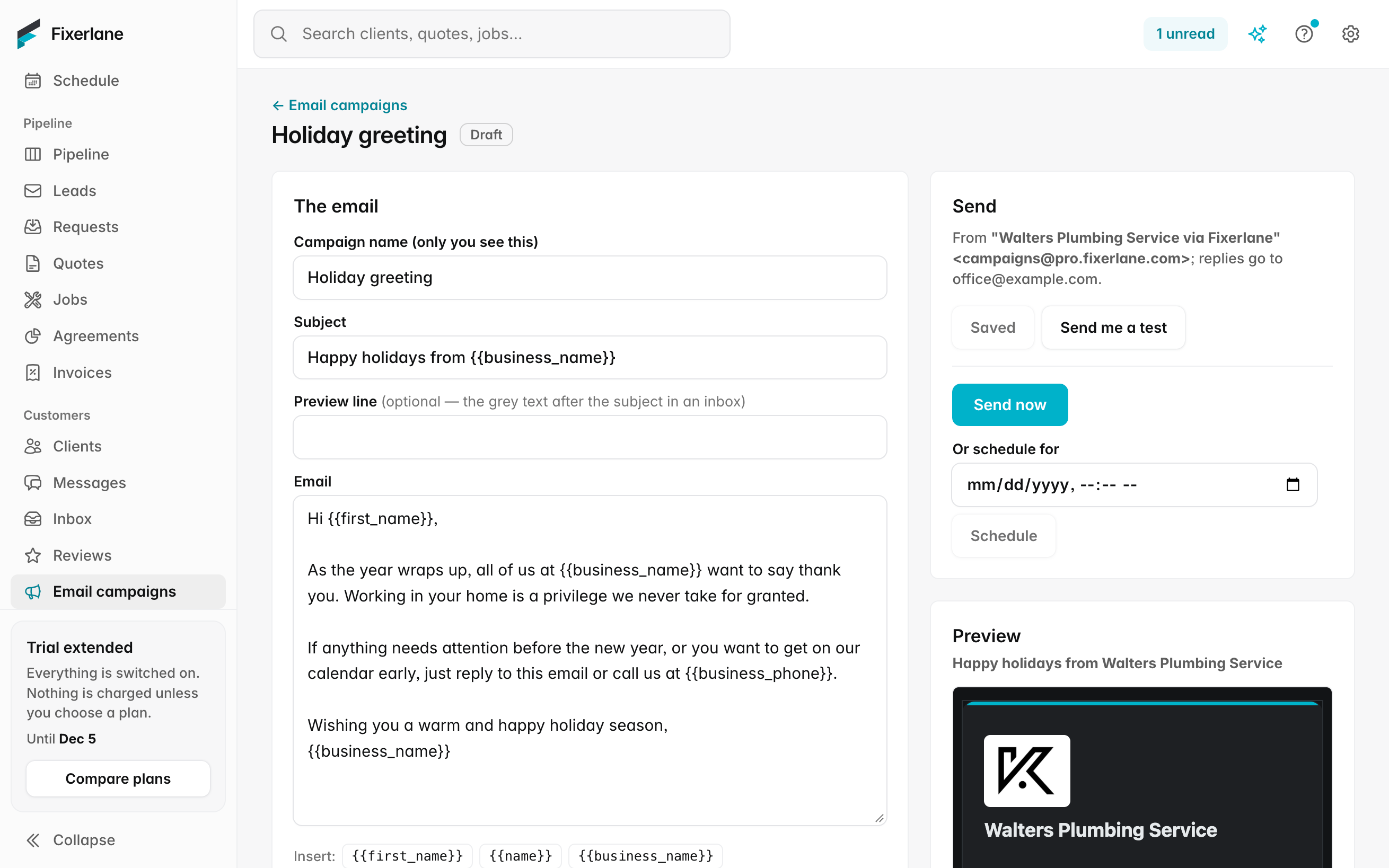
Write the email
Give it a subject and write the message, with your business name and logo at the top. Add a link to book or to request a quote if you want replies to turn into work.
Choose who gets it
Pick from your clients, for example everyone with a tag you chose, or the whole list. Clients who unsubscribed, and clients with no email address, are left out by themselves.
Send it
Read it through once more and send. It goes out from pro.fixerlane.com in your business’s name, with replies going to your own email address.
Read the results
Open the campaign to see who it reached, who opened it and who clicked. Replies arrive in your email like any other.
Turn replies into work
A client who clicks your booking or request link arrives as a request, like any other lead. Quote it, schedule it and invoice it in the same place you sent the campaign from.
In more detail
Your own clients only
Campaigns are for people who are your clients: people you have worked for or who asked you for work and became a client. You cannot import a bought list or send to addresses scraped from anywhere, and Fixerlane marketplace customers who have not become your clients are not on it. You are the sender, so you are responsible for having permission to email the people you choose.
Sent from pro.fixerlane.com
Campaigns go out from a separate sending address at pro.fixerlane.com, with your business name as the sender and your own address for replies. Keeping marketing apart from quotes and invoices protects the delivery of the emails that get you paid. You do not need to set up anything on your own domain for campaigns to work.
The law, plainly
Commercial email in the United States falls under the CAN-SPAM Act, and in Canada under CASL. Each campaign includes your business’s postal address and a working unsubscribe link, and unsubscribes are honoured automatically. Getting consent where the law asks for it, and not misleading people in the subject line, is on you as the sender.
When sending is paused
If a campaign draws an unusual number of spam complaints or bounced addresses, Fixerlane may pause your campaign sending while we look at it. It protects every business that sends through the same address. Quotes, invoices and messages to clients are not affected. Most complaints come from people who do not remember the sender, so send to clients who know your name, say who you are in the first line, and keep to things they would want to hear about, such as a seasonal service they had last year.
What it costs
Included in every plan: Fixerlane $19.99 a month for up to 10 people, Fixerlane Team $39.99 for up to 25, Fixerlane Business $69.99 for up to 50. Every plan starts with a 14-day free trial, and no card is needed to start.
See all plans →Not built yet
Listed here rather than discovered after you sign up:
- Postcards and printed mail
- Text message campaigns: Fixerlane does not send texts, and will not for campaigns
- Multi-step drip sequences: each campaign is a single email
- Importing outside mailing lists: campaigns go only to your Fixerlane clients
Common questions
- Who can I send a campaign to?
- People who are your clients in Fixerlane. Bought lists and imported addresses of people you have no relationship with are not allowed. A client who unsubscribed, or who has no email address on their record, is left out of the send without you having to check.
- What happens when someone unsubscribes?
- They are left out of every campaign from then on, automatically. They still get the quotes, invoices and messages that are part of work they asked you for.
- Why does it come from pro.fixerlane.com?
- Marketing email is sent from a separate address so it cannot affect delivery of your quotes and invoices. Your business name is the sender and replies come to you.
- Can I see who opened my email?
- Yes. Each campaign shows sends, opens and clicks. Some email apps block open tracking, so treat opens as a rough guide and clicks as the firmer number.
- Am I responsible for following the law?
- Yes. You are the sender under the CAN-SPAM Act and Canada’s CASL. Fixerlane adds the unsubscribe link and your postal address and honours opt-outs; consent and honest content are up to you.
- Can Fixerlane stop my campaign?
- If a campaign draws unusually high complaints or bounces, sending may be paused while we look. Your other client emails keep going.
- Can I send campaigns by text?
- No. Fixerlane does not send text messages, for campaigns or anything else.
- What kind of campaign works for a home service business?
- Short and timely ones: a reminder before the season for a service the client had last year, a note that your maintenance plan is open, or news that you now offer a new service. One clear link to book or request a quote does more than a long newsletter.
Works well with
Client management
Each client is one record: their addresses, the equipment at each, the people you deal with, and every quote, job, invoice and message. Anyone on the job sees what they need without phoning the office.
Reviews and referrals
Email a review link to the clients whose work you finished, reply to what they write, and let happy clients refer a friend from their own link. Every review is from a real customer of yours.
Automations and templates
Switch on the follow-ups you mean to send but forget: after a quote, when an invoice is due, the day after a job. Write the messages you repeat once, and pick them from then on.
Messages and inbox
Message clients from the app or the web, with photos and voice notes. They reply from an email link, no app or account needed, and email from your own mailbox sits next to the client it belongs to.
The same tools in the Fixerlane app
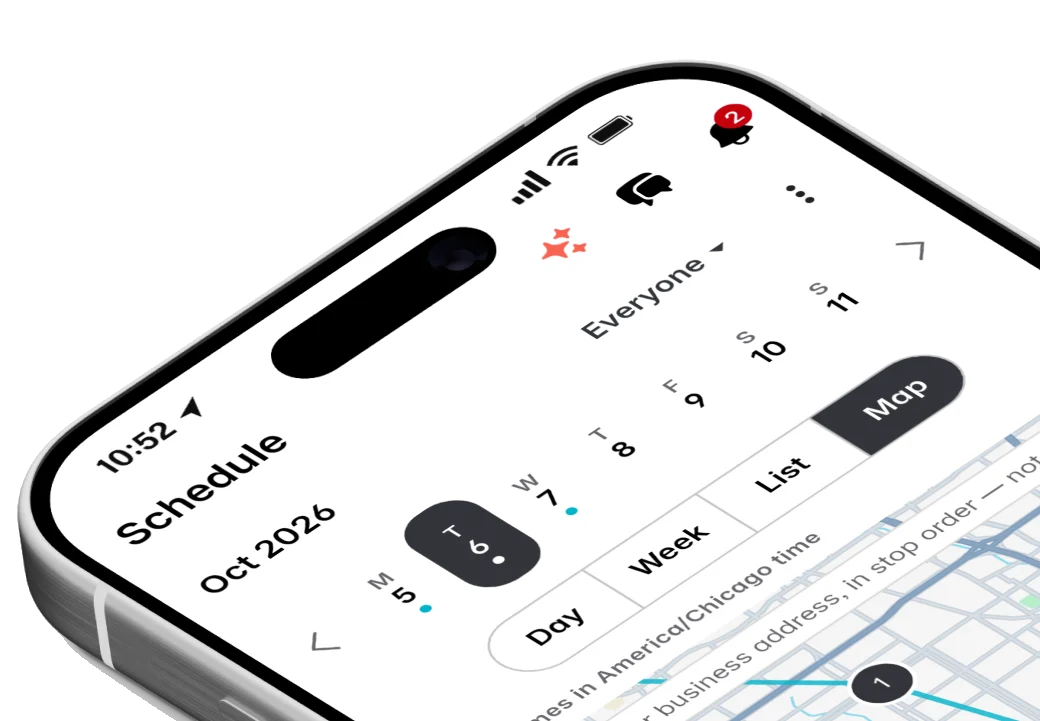
Fixerlane runs in the browser and on Android and iPhone, with the same tools in each. The app keeps your day on the phone, so it keeps working without signal.

Try it on your own work
Start the 14-day trial with no card, or claim your free listing first and add the tools later.
All features →