Reviews and referrals
Ask for reviews and track referrals from your clients
Email a review link to the clients whose work you finished, reply to what they write, and let happy clients refer a friend from their own link. Every review is from a real customer of yours.
14-day free trial, no card · listing and leads free forever
Why pros use it
Asking takes a minute
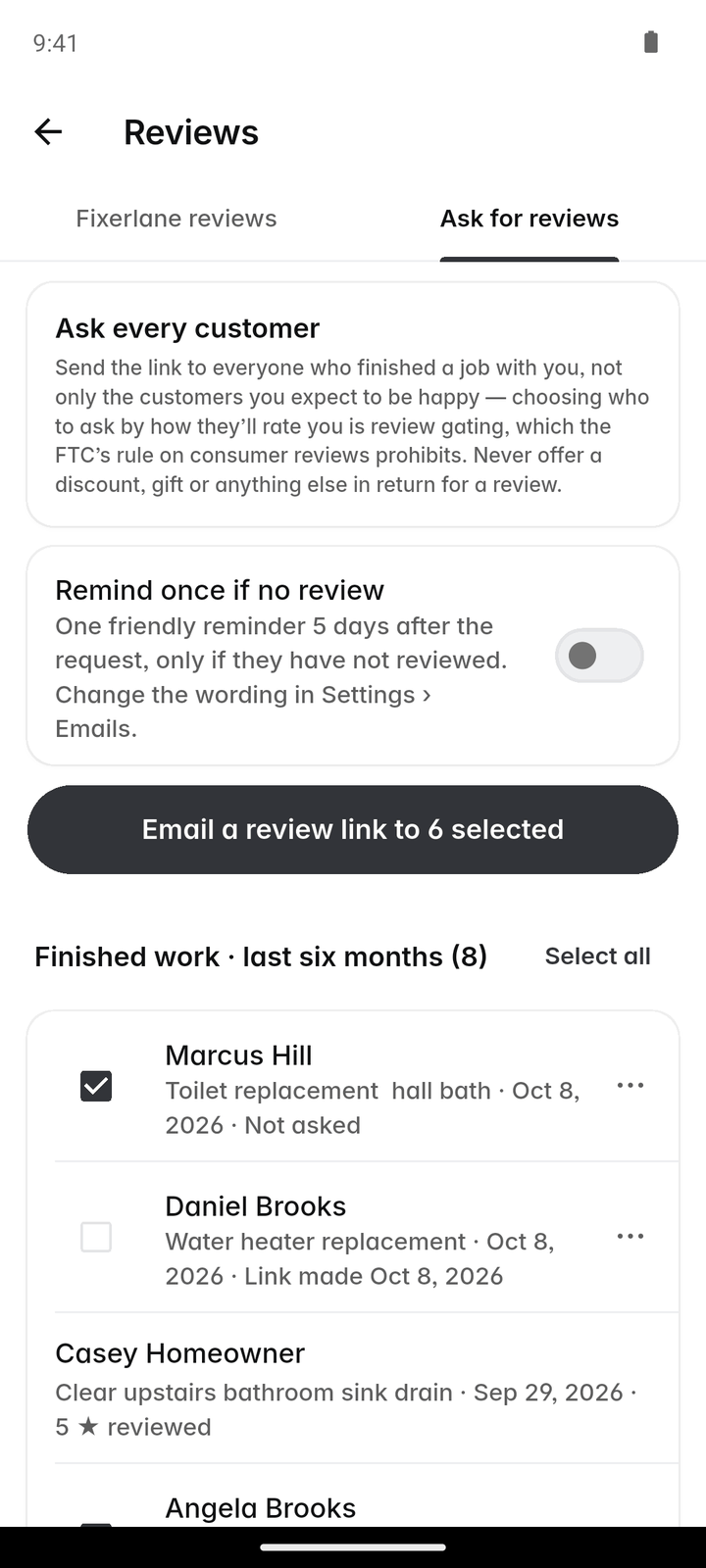
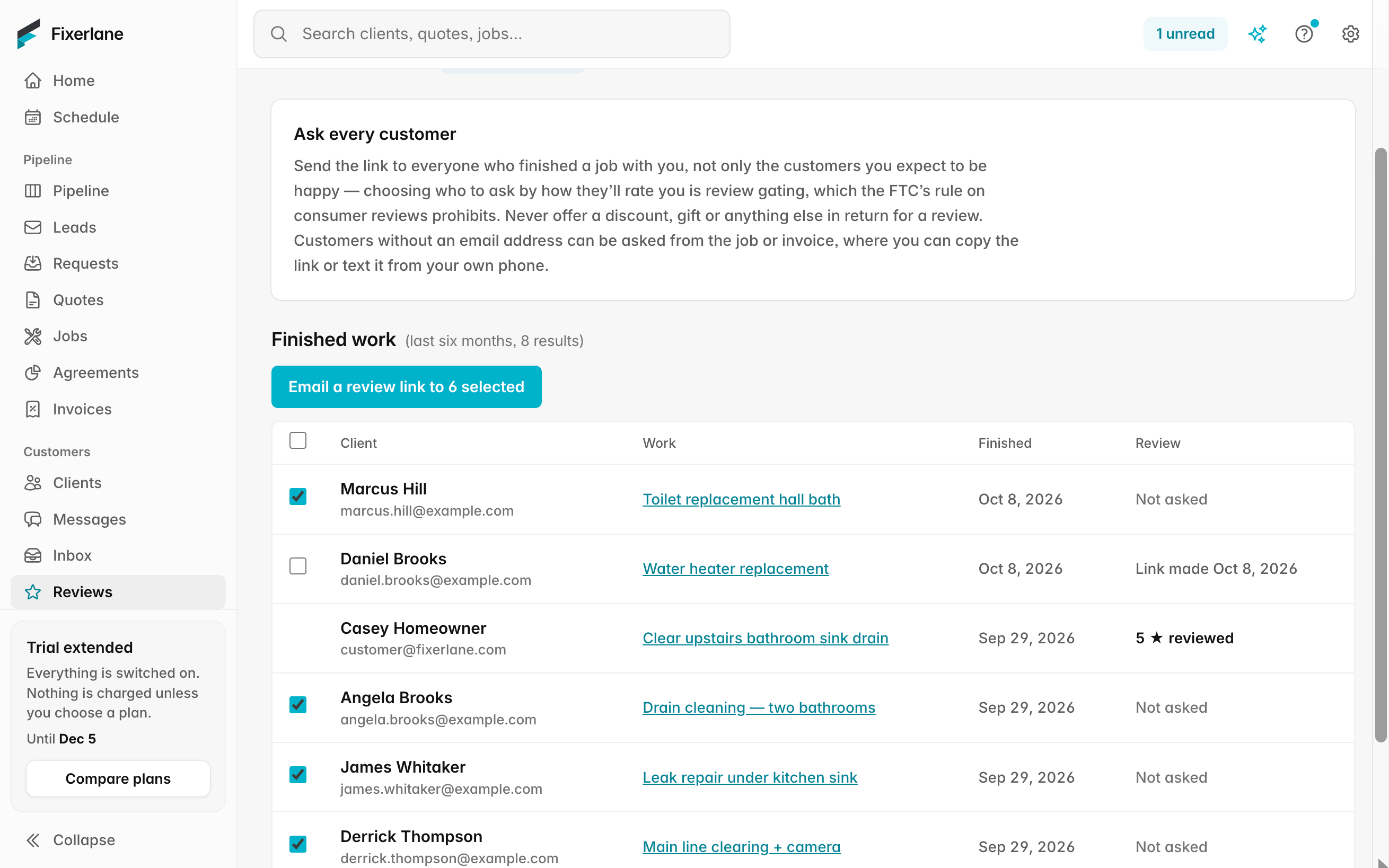
Reviews lists your finished work from the last six months. Tick the clients and send the link to up to 25 at a time, instead of writing each email by hand. A good week to ask is the week the work is finished, while the client still remembers the details.
Reviews people can trust
Only customers with a finished job or a paid invoice can review you, and every review is published whatever the rating. That is why a good review on Fixerlane carries weight.
Know where new clients came from
Clients can refer a friend from their client hub, and the referrals report shows who referred whom, so you can thank the people sending you work.
How it works
Pick who to ask
Open More → Reviews → "Ask for reviews". It lists finished work from the last six months. Tick everyone you worked for, not only the clients you expect to be happy.
Send the link
Tap "Email a review link to N selected" to send up to 25 at a time, or share one client’s link however you usually talk to them.
One reminder
Turn on review reminders and clients who have not left a review get one reminder by email after a few days. After that, nobody is chased again. It is off until you switch it on.
Reply in public
When a review is published, tap "Reply publicly" to answer it. You get one reply per review, up to 2,000 characters, and you can edit or delete your reply later.
Thank the people who send work
Open the referrals report in Insights to see which clients referred new ones, and whether that work was won. How you thank them is up to you.
In more detail
What you can and cannot do with a review
You cannot hide, edit or delete a review, and neither can anyone else at your business. If one breaks the rules, because it is not from a customer, is abusive, shares private information, is about someone else or comes from a competitor, tap Report and Fixerlane staff look at it. A review is not removed for being negative. A calm, specific public reply to a critical review often tells a future customer more about you than the review itself: what went wrong, what you did about it, and that you answered. Keep the customer’s private details out of it.
Asking within the rules
The Federal Trade Commission’s rules on reviews forbid paying for them, offering anything in return for a positive one, and picking who to ask by how happy you think they are. The ask list shows all your finished work for that reason. Ask everyone and offer nothing, and your reviews stay worth reading.
Referrals from the client hub
In Settings → Client hub you choose whether clients see a "refer a friend" option on the links you send them. A friend who comes through it arrives as a request with the referring client recorded. The referrals report in Insights lists who referred whom and whether the work was won. Word of mouth is how many home service businesses grow; the report makes it something you can see and thank people for, rather than a guess at who mentioned your name.
Free after your plan ends
Asking for reviews and replying to them are for owners and admins. Both keep working without a plan: your reviews belong to your listing, and your listing is free. Reviews you collect while on a plan stay on your listing if you stop paying, so the work you put into asking is never lost.
What it costs
Your reviews and replies are free on every account, and keep working after a plan ends. The referrals report and the client hub come with the 14-day free trial (no card), then any plan from $19.99 a month.
See all plans →Not built yet
Listed here rather than discovered after you sign up:
- Review requests by text message: requests go by email, or you share the link yourself
- Rewards or credits for referrals: Fixerlane records the referral, and any thank-you is yours to give
Common questions
- Can I delete a bad review?
- No. Every review from a real customer is published whatever the rating, and you cannot hide, edit or delete one. You can reply in public, and report a review that breaks the rules.
- Who can review my business?
- Only customers with a finished job or a paid invoice from you. That keeps out reviews from people who never hired you, and it means every review on your listing is tied to work you actually did for the person who wrote it.
- How many clients can I ask at once?
- Up to 25 at a time by email, from the list of work you finished in the last six months.
- Will my clients be pestered?
- No. Reminders are off unless you turn them on, and then a client who has not reviewed gets one reminder, and that is the last email about it.
- Can I offer a discount for a review?
- No. Offering anything in return for a review, or only asking the clients you think are happy, breaks FTC rules. Ask everyone and offer nothing.
- How do referrals work?
- Turn on "refer a friend" in your client hub settings. Clients see it on the links you send them, and a friend who comes through it is recorded against the client who referred them.
- Do I keep my reviews if I cancel?
- Yes. Reviews and replies are part of your free listing and stay after a plan ends.
- Where do my reviews appear?
- On your Fixerlane listing, in the directory and in the Fixerlane app, with the reviewer’s display name, such as a first name and last initial, never their contact details. Your public replies show beneath them.
Works well with
Job posts near you
Homeowners describe a job and the pros whose trade and area match can send an offer. Your listing, the job posts and your offers are free, on every account.
Client management
Each client is one record: their addresses, the equipment at each, the people you deal with, and every quote, job, invoice and message. Anyone on the job sees what they need without phoning the office.
Automations and templates
Switch on the follow-ups you mean to send but forget: after a quote, when an invoice is due, the day after a job. Write the messages you repeat once, and pick them from then on.
Email campaigns
Write one email, pick which of your clients get it, and send. Every email carries an unsubscribe link that works on its own, and you see who opened and clicked.
The same tools in the Fixerlane app
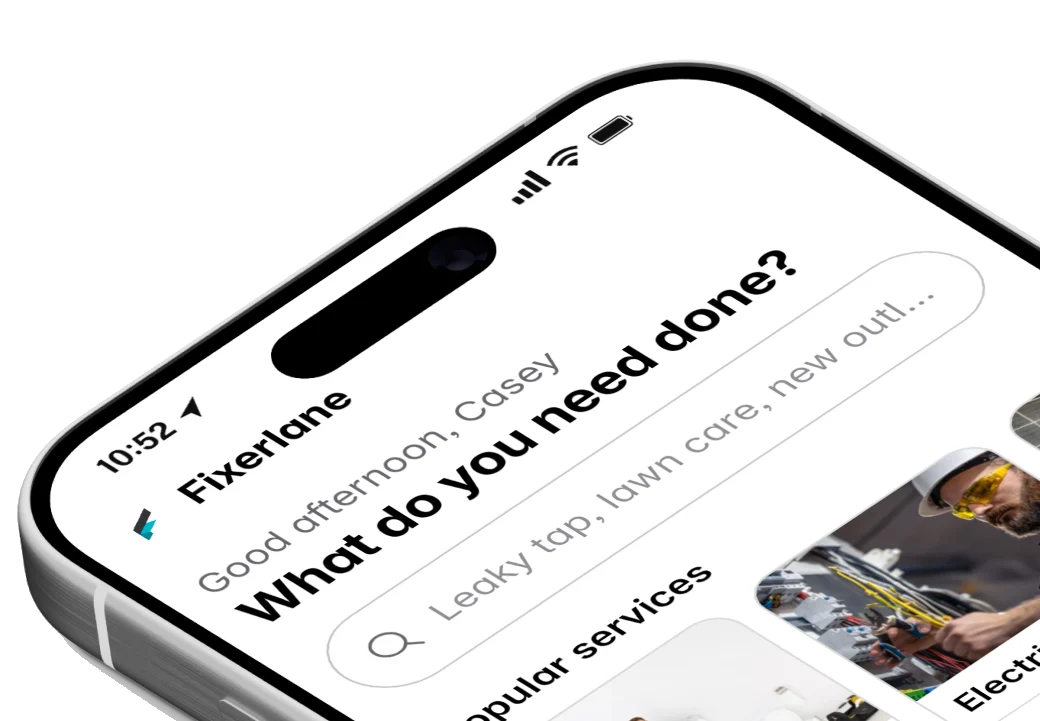
Fixerlane runs in the browser and on Android and iPhone, with the same tools in each. The app keeps your day on the phone, so it keeps working without signal.


Try it on your own work
Start the 14-day trial with no card, or claim your free listing first and add the tools later.
All features →