Messages and inbox
Client messaging and email in one inbox
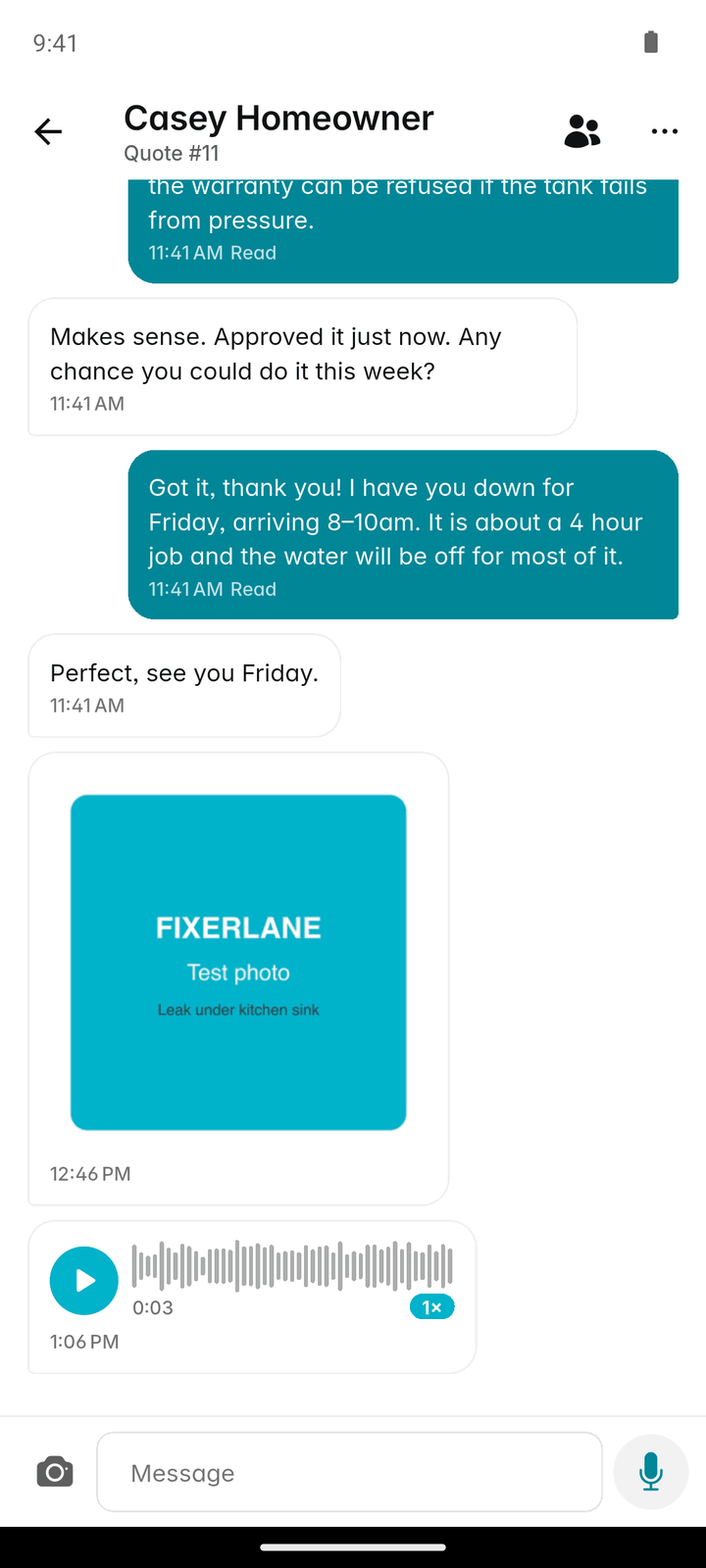
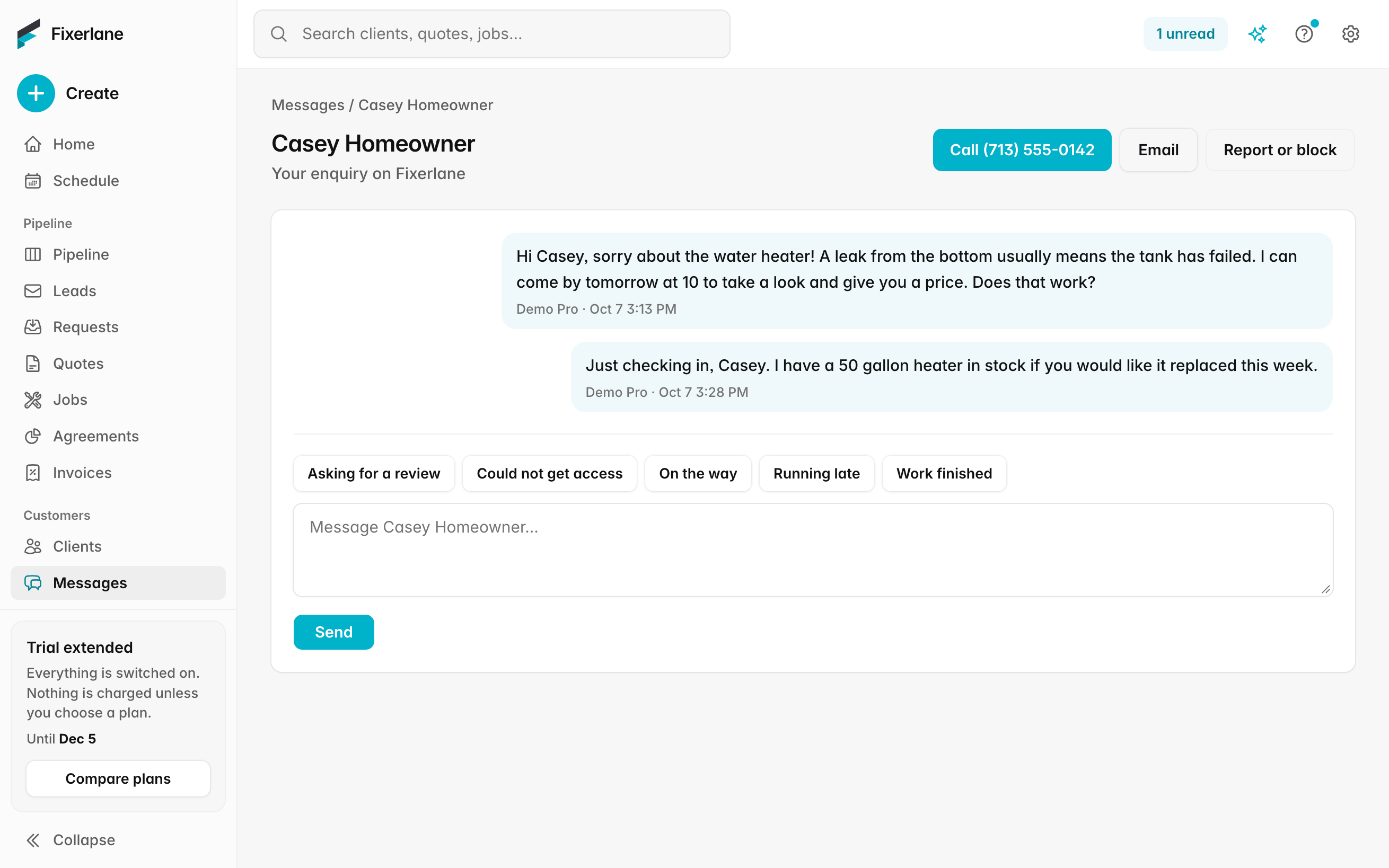
Message clients from the app or the web, with photos and voice notes. They reply from an email link, no app or account needed, and email from your own mailbox sits next to the client it belongs to.
14-day free trial, no card · listing and leads free forever
Why pros use it
Clients answer from their email
Your message reaches the client by email with a link. They reply from their browser, so you never have to ask anyone to download an app. Older clients who would never install anything can still see your photos and answer your questions.
The conversation stays with the job
Messages and client email are kept against the client, so the next person who opens the record sees what was said, not just what was billed.
Works without signal
Write a message in a basement or a crawl space. It is saved on the phone and sends when you have signal again. The pill at the top of the app shows what is still waiting to send, and you can send it the moment you are back in range.
How it works
Open Messages
Tap the speech bubble at the top of any tab. Filter by Unread, Needs reply or Waiting on client to see what needs you.
Write, snap or speak
Send text, photos, or a voice note by holding to record. Pick a saved template for the replies you write every week.
They reply
The client gets an email with a link and answers from their browser. Their reply lands back in the same conversation, on the phone and the web.
Connect your mailbox if you want
Add your business email in Settings → Mailbox, and quotes, invoices and emails go from your own address, with replies in More → Inbox.
Keep the thread moving
Waiting on client shows conversations where you spoke last, so you can nudge the ones that went quiet. Needs reply shows the ones where the client spoke last, so nobody is left without an answer.
In more detail
Your own mailbox, connected
Make an app password for Fixerlane in your email provider’s security settings, then enter the address and password in Settings → Mailbox. Gmail and Google Workspace, Yahoo, Zoho, GoDaddy, Titan, iCloud and others are supported. Test the connection, connect, and choose for each kind of email whether it goes from your mailbox or from Fixerlane. Emails sent from your mailbox appear in your own Sent folder, so your records outside Fixerlane stay complete. If you would rather not connect anything, Fixerlane sends on your behalf where it can, and offers to open the email in your own email app where it cannot.
An inbox that only shows clients
Inbox shows email with your clients and leads, never the rest of your mailbox. Your bank, your suppliers and your newsletters stay where they are. Email replies have their own templates, with fields such as the client’s name filled in for you. Because the email sits next to the client, the person who picks up a job next week can read what was agreed last month, without forwarding threads around the team.
Chats from your website
If you put the chat bubble on your own website, a visitor’s message opens as a conversation in Messages. You answer it like any other, and your reply reaches them by email.
Calls and texts from your own phone
Fixerlane has no phone system and never sends a text itself. The Call and Text buttons on a client, lead or visit open your phone’s own dialer or Messages app, so clients see your number. Settings → Text messages keeps a record of which clients agreed to be texted. A lead who asked for email and messages only has the Call and Text buttons hidden, so nobody on the team rings a customer who asked not to be rung. Everything Fixerlane itself sends goes by email or app notification.
What it costs
Included in every plan: Fixerlane $19.99 a month for up to 10 people, Fixerlane Team $39.99 for up to 25, Fixerlane Business $69.99 for up to 50. Every plan starts with a 14-day free trial, and no card is needed to start.
See all plans →Not built yet
Listed here rather than discovered after you sign up:
- Text messages sent by Fixerlane: texts go from your own phone
- A business phone number, call recording or call tracking
- Showing the rest of your mailbox: Inbox holds email with clients and leads only
- Social media direct messages in the inbox
Common questions
- Do my clients need the Fixerlane app?
- No. They get your message by email with a link and reply from their browser. Clients who use the app see the conversation there too. Either way the conversation is the same one, so nothing said in the app is missing from the email side or the other way round.
- Can I send photos and voice notes?
- Yes. Attach photos or hold the button to record a voice note. Voice notes are sent as recordings.
- Does Fixerlane read my whole mailbox?
- Inbox shows only email with your clients and leads. The rest of your mailbox is never shown in Fixerlane.
- Which email providers work?
- Gmail and Google Workspace, Yahoo, Zoho, GoDaddy, Titan, iCloud, and others that allow an app password.
- What if I do not connect a mailbox?
- Fixerlane sends for you where it can. When it cannot, the app offers to open the email in your own email app.
- Can Fixerlane text my clients?
- No. Fixerlane never sends texts. The Text button opens your own phone’s Messages app with the client’s number filled in.
- Do messages work offline?
- Yes. Messages you write without signal are saved on the phone and send when you reconnect.
- Can I reuse replies I send often?
- Yes. More → Templates holds the messages you write every week, such as an on-my-way note or a thank-you, with placeholders like {{client}} and {{link}} filled in when you use one. Inbox has its own email templates too.
Works well with
Client management
Each client is one record: their addresses, the equipment at each, the people you deal with, and every quote, job, invoice and message. Anyone on the job sees what they need without phoning the office.
Automations and templates
Switch on the follow-ups you mean to send but forget: after a quote, when an invoice is due, the day after a job. Write the messages you repeat once, and pick them from then on.
Website widget
Copy a short snippet into your website and visitors can send a request, book a time or start a chat without leaving your site. What they send arrives in Fixerlane, next to every other lead.
Lead inbox
Every enquiry lands in one list, with what the customer needs, where they are and how to answer them. Receiving leads and replying to them is free, with or without a plan.
The same tools in the Fixerlane app
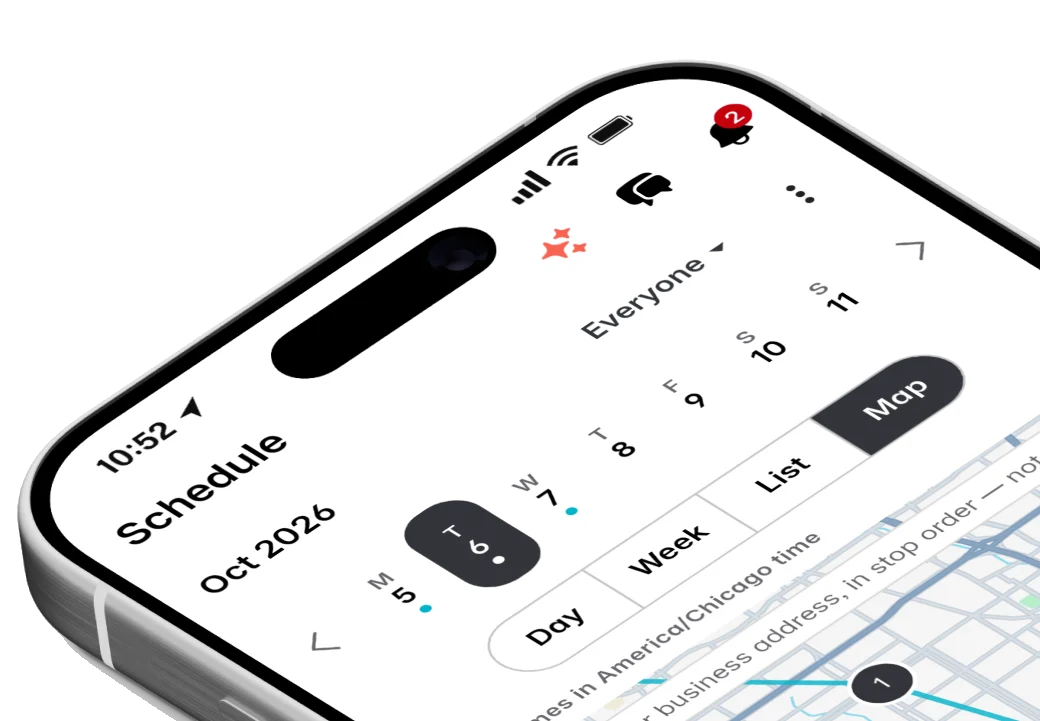
Fixerlane runs in the browser and on Android and iPhone, with the same tools in each. The app keeps your day on the phone, so it keeps working without signal.

Try it on your own work
Start the 14-day trial with no card, or claim your free listing first and add the tools later.
All features →