Website widget
A booking widget and chat for your own website
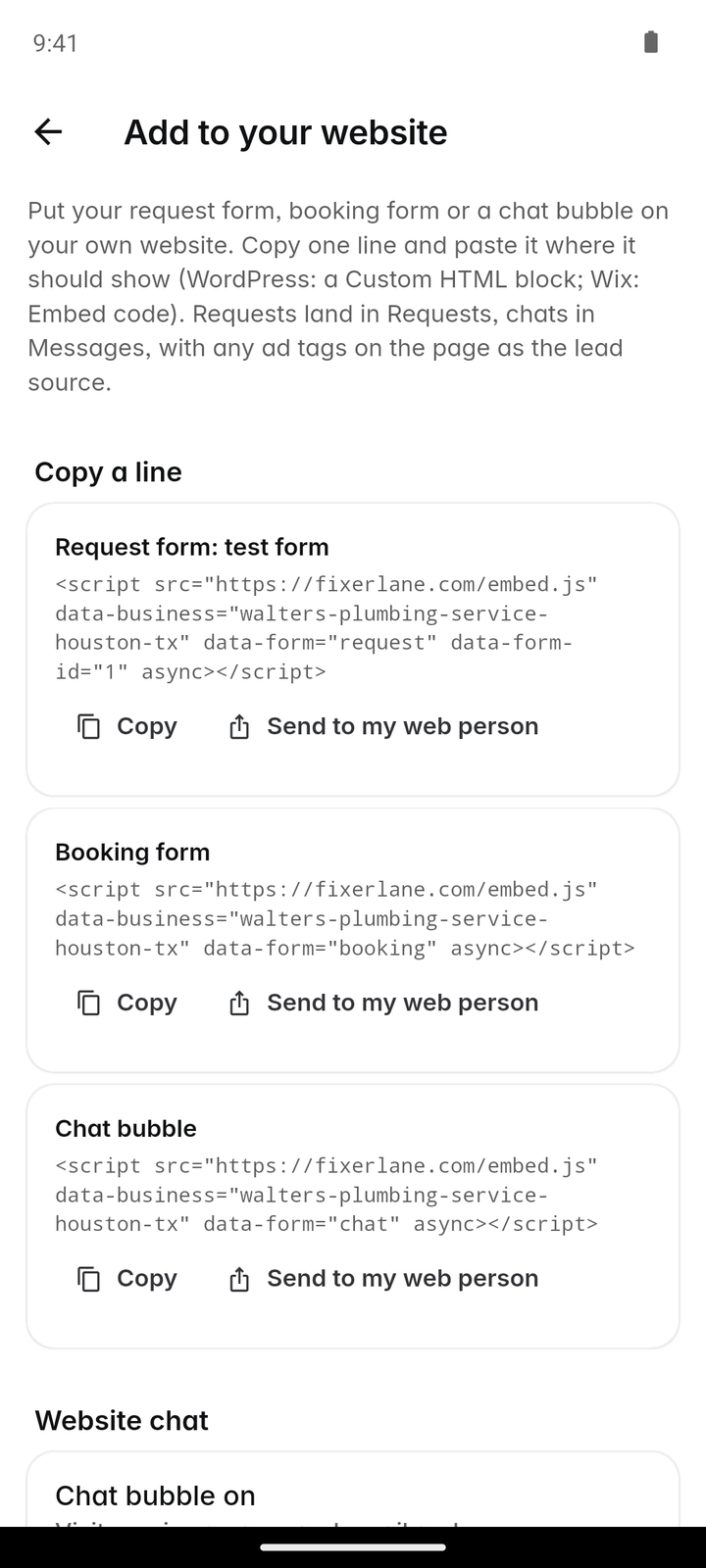
Copy a short snippet into your website and visitors can send a request, book a time or start a chat without leaving your site. What they send arrives in Fixerlane, next to every other lead.
14-day free trial, no card · listing and leads free forever
Why pros use it
Your site does the asking
The forms on your website are the ones you built in Fixerlane, with your questions. A visitor at eleven at night can tell you what they need instead of waiting to call in the morning.
One place to answer
Requests and bookings from your site arrive in Leads and on the schedule, and chats arrive in Messages. You answer them where you answer everything else.
See which ad paid off
When a booking link carries ad tracking tags, such as utm_source, they are kept with the request. You can see which ad or campaign a request came from, without a separate tracking tool.
How it works
Build your forms
In Settings → Request and booking forms, write the questions you want answered. Without a form of your own, the standard Fixerlane form is used.
Copy the snippet
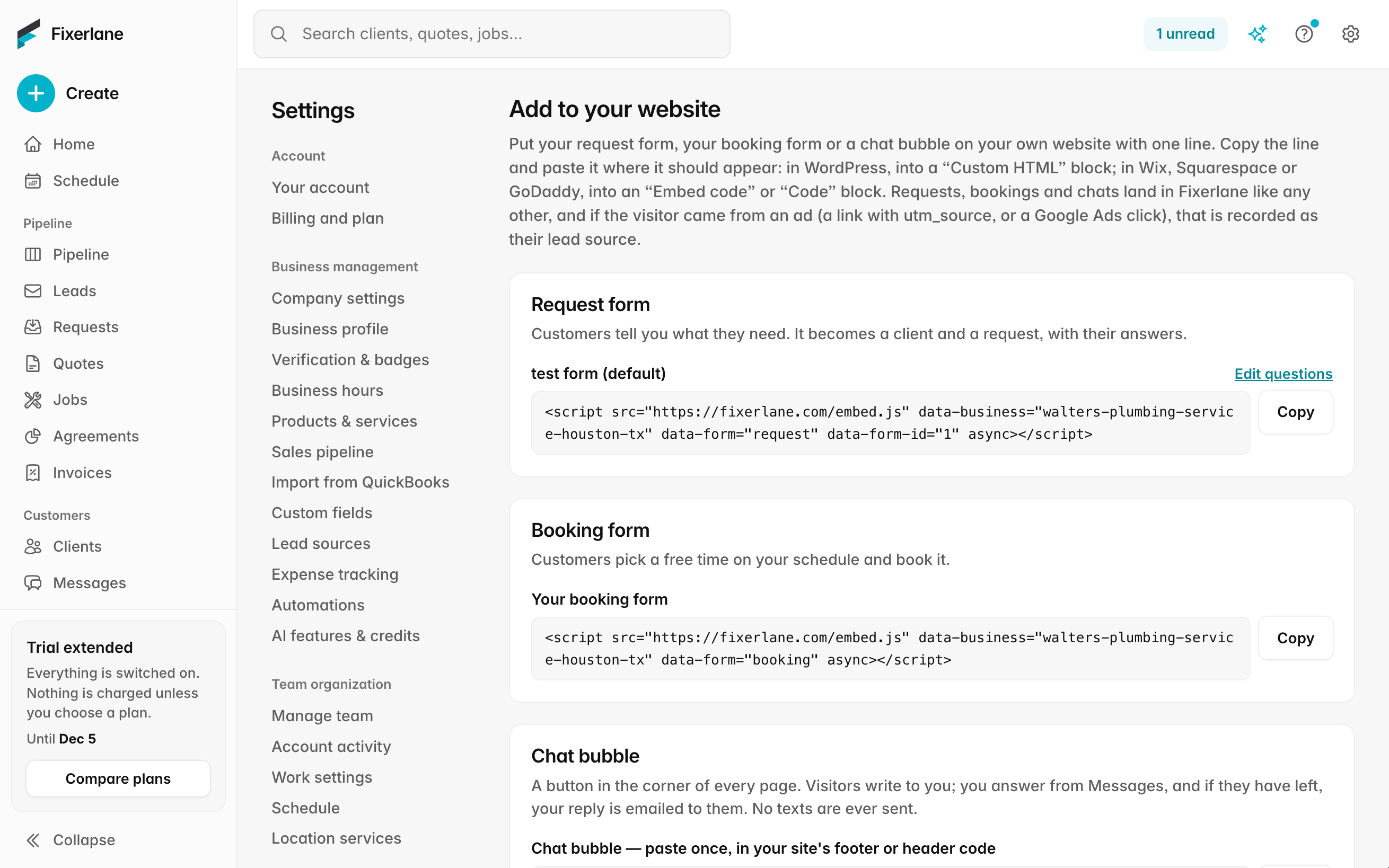
Pick what to show on your site: a request form, a booking form, the chat bubble, or a mix. Copy the snippet Fixerlane gives you.
Paste it into your site
Paste it where your website builder lets you add code, or send it to whoever looks after your site. It works on any site that accepts a code snippet.
Answer what comes in
Requests and bookings land in Leads and on the schedule. Chats from the bubble land in Messages, where you reply from the app or the web.
Check where the work came from
Open a request to see the tracking tags its link carried, if any. The lead sources report in Insights shows where your clients came from over any date range, so you can drop the ad that brings nothing.
In more detail
The chat bubble
The bubble sits in the corner of your website. A visitor types a message and leaves a name and an email address so you can reach them. The conversation opens in your Messages, and your reply goes to them by email with a link, so they can carry on without staying on your site or installing anything. There is no live typing indicator to watch and no need to be online when they write. If the visitor is already one of your clients, the conversation joins their record, so whoever answers can see the last job and the last invoice before replying.
Booking from your site
The booking form on your website uses the same rules as booking from your Fixerlane listing: your hours, each person’s hours, what is already on the schedule and your travel buffer. A booking creates the client, property, job and visit, and confirms by email. Nothing is charged when they book.
Ad tracking on booking links
If you run ads, add the usual tracking tags to the link, such as utm_source and utm_campaign. Fixerlane keeps those values with the request or booking that came from it, so you can tell the search ad from the flyer. It records only the tags in the link, not anything about the visitor from other sites.
Your site, your responsibility
The snippet adds Fixerlane’s forms and chat to your page; the rest of your website is yours. You decide where the widget goes and you are responsible for your own site, including telling visitors in your own privacy notice that the forms and chat are provided through Fixerlane. Take the snippet off your page and the widget is gone; requests already received stay in Fixerlane.
What it costs
Included in every plan: Fixerlane $19.99 a month for up to 10 people, Fixerlane Team $39.99 for up to 25, Fixerlane Business $69.99 for up to 50. Every plan starts with a 14-day free trial, and no card is needed to start.
See all plans →Not built yet
Listed here rather than discovered after you sign up:
- A full website builder: the widget goes into a website you already have
- Live chat with typing indicators: replies reach the visitor by email
Common questions
- Do I need a developer to add it?
- Usually not. Most website builders have a place to paste a code snippet. If someone else looks after your site, send them the snippet. It is a few lines of code to paste, with nothing to install or keep updated on your side.
- Do I need a plan to use the widget?
- Requests and chats that arrive are leads, and receiving and replying to leads is free. Booking straight onto the schedule and turning leads into clients come with the trial or a plan.
- Where do chat messages go?
- Into Messages in Fixerlane, on the phone and the web. Your reply reaches the visitor by email with a link, so they can answer later.
- Does it use my own questions?
- Yes. The forms are the ones you set up in Settings → Request and booking forms, with the questions and required answers you chose.
- What are utm tags and do I need them?
- They are labels added to the end of a link, such as utm_source=flyer, that say where a visitor came from. You only need them if you want to compare ads. Fixerlane keeps them with the request so you can see it.
- Does the widget set advertising cookies on my site?
- No. It shows your forms and the chat, and keeps any tracking tags that were in the link. It does not add advertising pixels.
- Can I put it on more than one website?
- Yes. Paste the same snippet on each site. Everything still arrives in the same Leads list and Messages.
- How is this different from my Fixerlane listing?
- Your listing is your public page in the Fixerlane directory, where homeowners searching for a pro find you. The widget puts the same request and booking forms on the website you already have. Both arrive in the same Leads list.
Works well with
Online booking
Customers pick a time that is actually free, from your business hours and what is already on the schedule. The booking lands on your calendar as a job with its visit, and nobody has to call back to confirm.
Lead inbox
Every enquiry lands in one list, with what the customer needs, where they are and how to answer them. Receiving leads and replying to them is free, with or without a plan.
Messages and inbox
Message clients from the app or the web, with photos and voice notes. They reply from an email link, no app or account needed, and email from your own mailbox sits next to the client it belongs to.
Email campaigns
Write one email, pick which of your clients get it, and send. Every email carries an unsubscribe link that works on its own, and you see who opened and clicked.
The same tools in the Fixerlane app
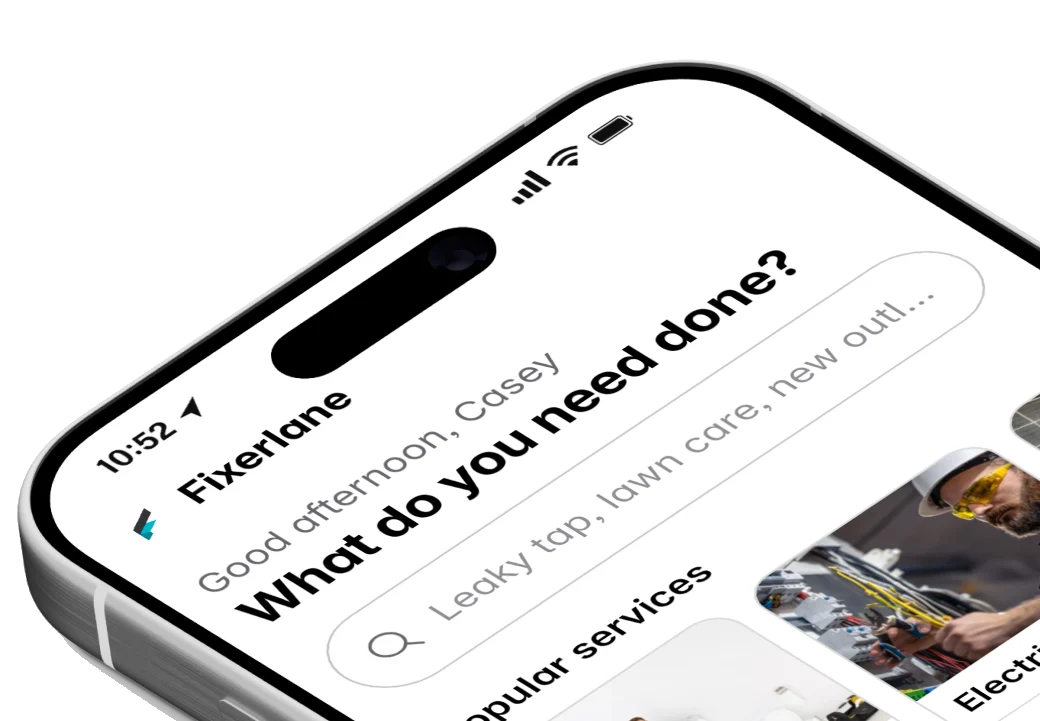
Fixerlane runs in the browser and on Android and iPhone, with the same tools in each. The app keeps your day on the phone, so it keeps working without signal.

Try it on your own work
Start the 14-day trial with no card, or claim your free listing first and add the tools later.
All features →