Fixerlane AI
An AI assistant for your home service business
Ask what is on tomorrow, who owes you money or how last month went, by typing or speaking. Have it draft a quote, book a visit or write a reply. It shows you what it will do, and waits for you to confirm.
14-day free trial, no card · listing and leads free forever
Why pros use it
Answers from your own records
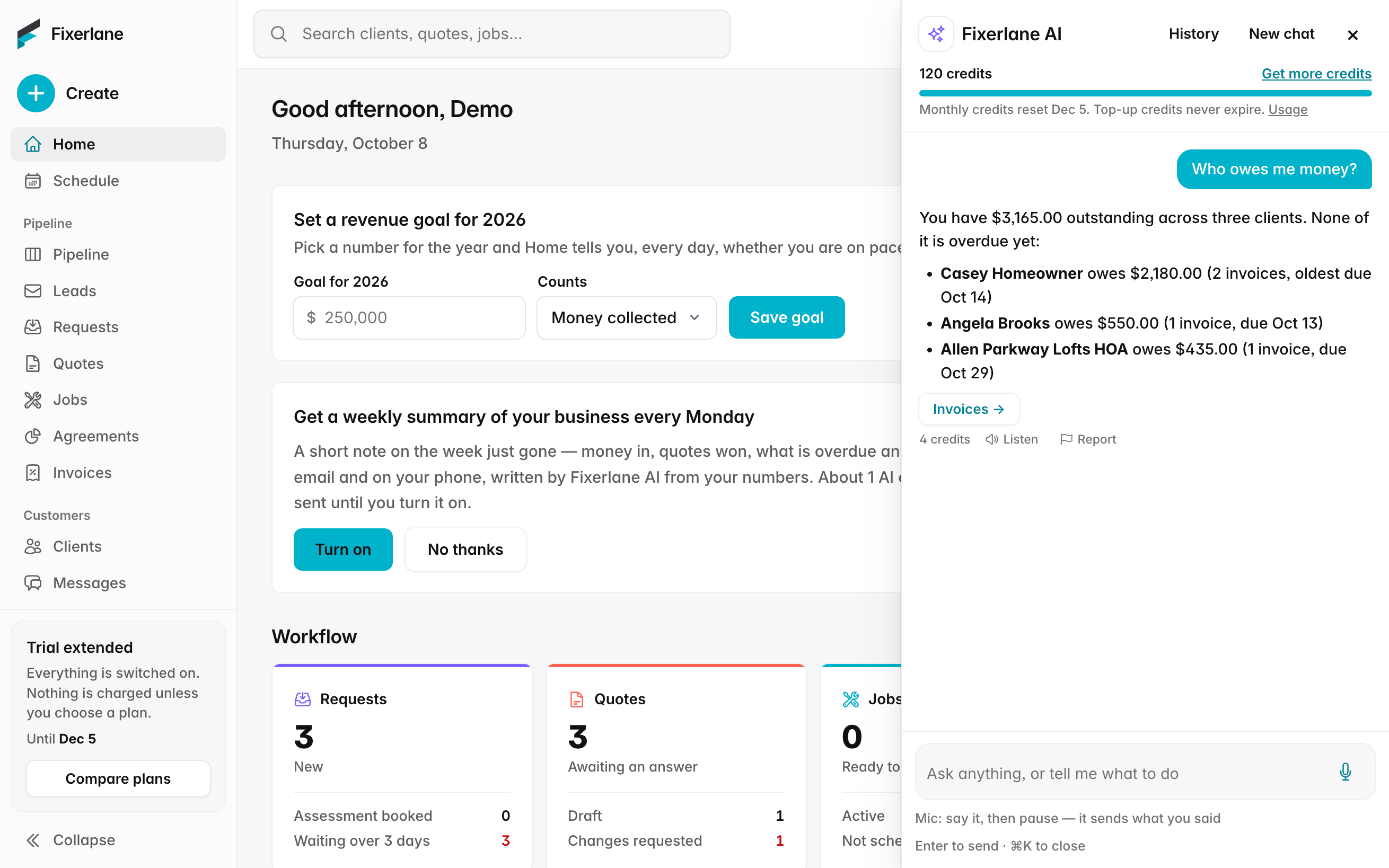
It reads your visits, jobs, clients, quotes, invoices, leads and reviews, and much more, so "Who owes me money?" gets an answer about your business, not a general one.
The paperwork drafted for you
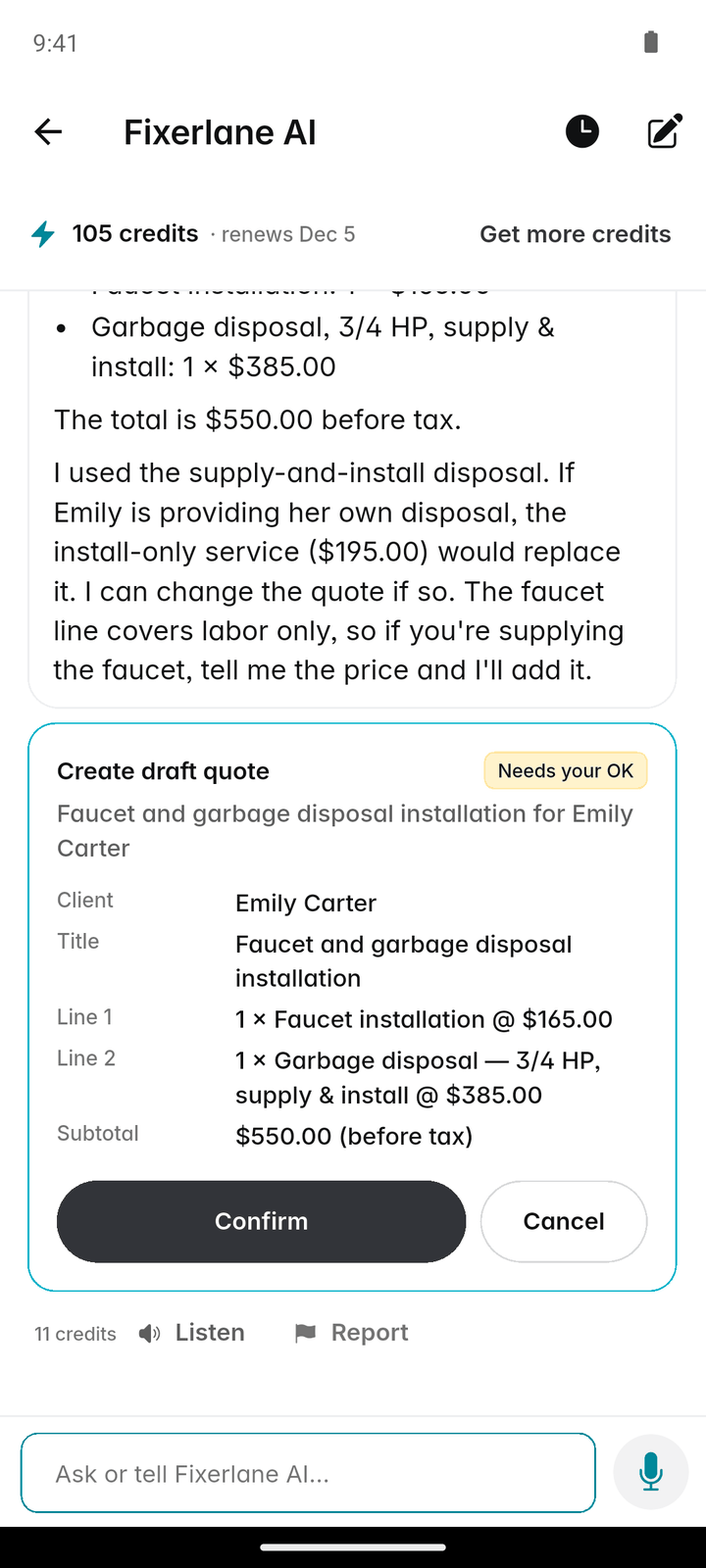
"Draft a quote for a gutter clean at the Hendersons" becomes a quote card with lines you can check. Quotes, jobs, visits, invoices and messages work the same way.
You stay in charge
Nothing is created, sent or changed until you tap Confirm. It never moves money, and it only sees what your role on the team lets you see. An action you confirm is your action, the same as if you had made it on the screen yourself.
How it works
Open it
Tap the Fixerlane AI icon at the top of any tab, or the card on More. On the web it is in the console.
Ask, typed or spoken
Type a question, or tap the mic and speak. It stops after a short pause and sends what you said, or tap ✕ to throw the recording away.
Read the answer or the card
A question gets an answer, often with a button to the right screen. A request to do something gets a card showing exactly what will happen.
Confirm or change it
Edit a message before it goes, then tap Confirm. Cards you leave expire after 24 hours.
Pick up where you left off
Your conversations are saved in your account, so you can come back to one later. Delete any conversation you no longer want from the assistant.
In more detail
What it can read
Visits, jobs, clients, quotes, invoices, leads and reviews, and also reports, requests, time entries, expenses, service agreements, notes, equipment, job posts near you and your inbox. It works within your role, so a crew member can ask about their own visits and jobs and nothing else. When it answers, it can open the right screen for you, so "show me overdue invoices" takes you to them rather than describing them.
What it can do, once you confirm
Draft a client, request, quote, job, visit or invoice; reschedule or assign a visit; send a message; reply to a review. It never charges a card, issues a refund or changes a payment. Anything it drafts is a suggestion: check prices and wording before it goes to a customer, because AI can be wrong. A drafted message opens for you to edit before anything is sent, and a drafted quote shows its lines and total on the card. If an answer is wrong or out of place, every answer has a Report option.
Voice, in your language
Tap the mic and speak; your recording is turned into text by our AI and sent. Answers are text, and are read aloud only when you tap Listen under one. It replies in the language you wrote or spoke in.
Credits, and where your data goes
Each question uses 1 credit, however much it looks up, and each answer shows what it used. Speaking a question also uses about 1 credit a minute of recording. Every plan includes 50 a month, the trial 200 and the add-on 2,000. Requests go to our AI providers, OpenAI and Anthropic, with only what each task needs, and they do not train their models on it. Turn AI off any time in Settings → AI features.
What it costs
Every plan includes 50 AI credits a month, and the 14-day trial includes 200. The Fixerlane AI add-on is $9.99 a month or $99.99 a year on any plan, for 2,000 credits a month. Each question uses 1 credit. Extra credits: 2,000 for $9.99, 5,000 for $24.99, 14,000 for $69.99, and bought credits never expire.
See all plans →Not built yet
Listed here rather than discovered after you sign up:
- A hands-free conversation mode: you tap the mic for each request
- Moving money: the assistant never charges, refunds or changes payments
Common questions
- Can it do things without asking me?
- No. Every action shows a card with exactly what will happen, and nothing is created, sent or changed until you tap Confirm. Cards expire after 24 hours.
- What is an AI credit?
- What the assistant runs on. Each question uses 1 credit, however much it looks up to answer, and speaking it also uses about 1 credit a minute of recording. Each answer shows what it used.
- What happens if I run out of credits?
- Only the assistant stops. Everything else keeps working. Monthly credits reset each billing period, and the owner can buy top-up packs that never expire.
- Is my business data used to train AI?
- No. We do not use your content to train AI models, and under their API terms OpenAI and Anthropic do not train their models on what we send.
- Can my crew use it?
- Yes, within their role. A crew member can ask about their own visits and jobs, and cannot see money or other people’s work through it.
- Do I have to use it?
- No. It is optional. We ask before your first use, and you can turn AI features off at any time in Settings → AI features. Everything it can do, you can also do yourself on the usual screens.
- Does it read answers out loud?
- Only when you tap Listen under an answer. It never speaks on its own, so it will not start talking in a customer’s kitchen.
- Is the add-on needed to try it?
- No. Every plan includes 50 credits a month and the trial includes 200. The add-on raises that to 2,000 a month, for businesses that use the assistant every day.
Works well with
Quoting
Build the quote on site, send it before you leave the driveway, and know the moment the customer opens it, approves it or asks for a change.
Sales pipeline
Every request and quote sits on one board, in the stage it has reached. Drag it along as it moves, see who is handling it, and when a quote is lost, write down why.
Insights and reports
Eighteen reports on money, work and clients, a dashboard for the owner, a revenue goal to aim at and a short note each week on what changed. Every report exports to CSV.
Automations and templates
Switch on the follow-ups you mean to send but forget: after a quote, when an invoice is due, the day after a job. Write the messages you repeat once, and pick them from then on.
The same tools in the Fixerlane app
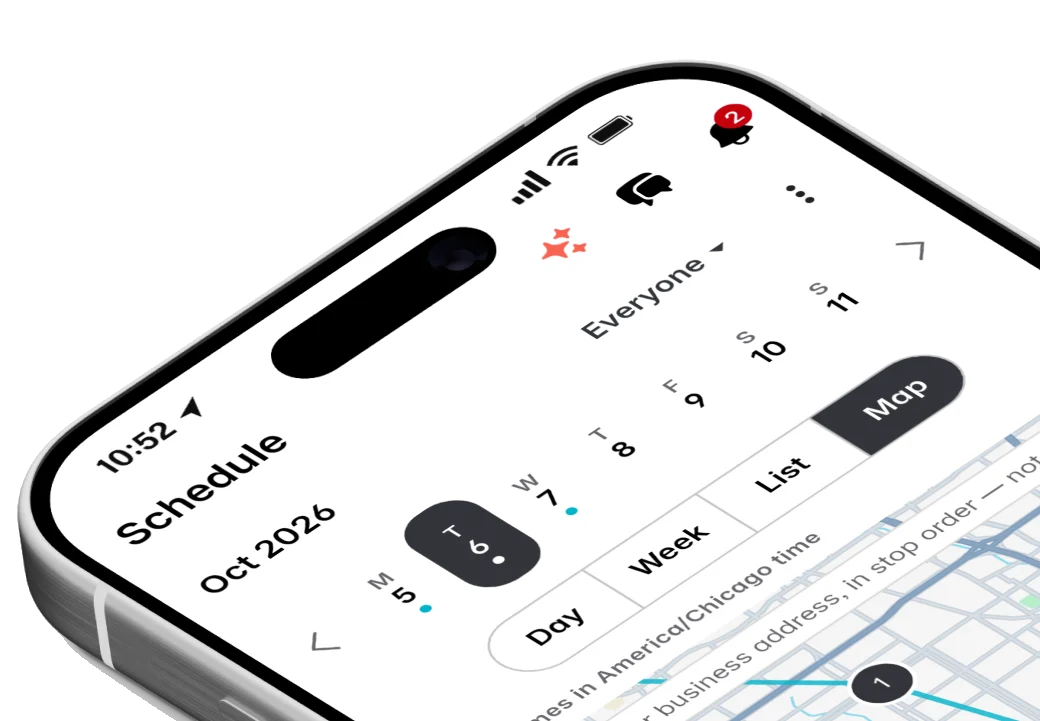
Fixerlane runs in the browser and on Android and iPhone, with the same tools in each. The app keeps your day on the phone, so it keeps working without signal.


Try it on your own work
Start the 14-day trial with no card, or claim your free listing first and add the tools later.
All features →