Insights and reports
Business reports for home service pros
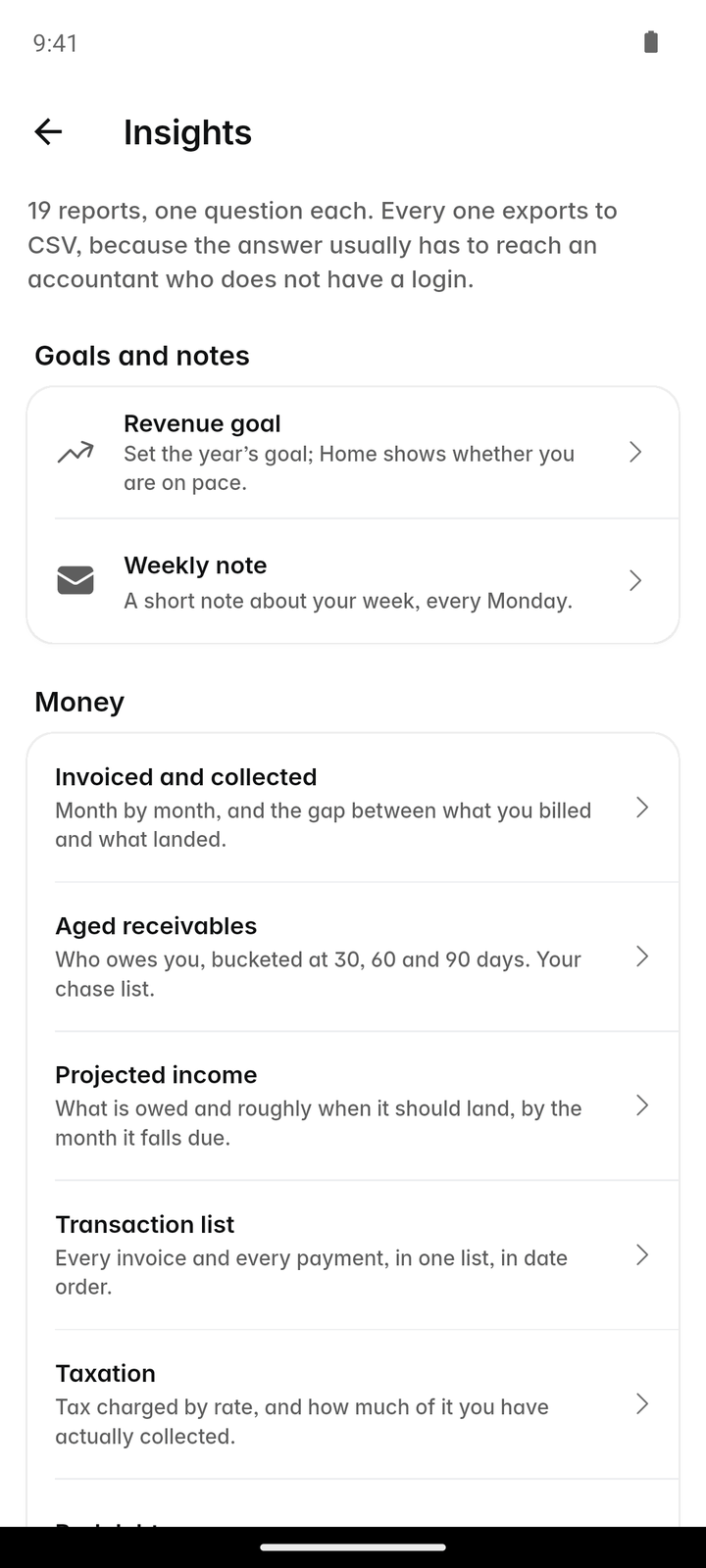
Eighteen reports on money, work and clients, a dashboard for the owner, a revenue goal to aim at and a short note each week on what changed. Every report exports to CSV.
14-day free trial, no card · listing and leads free forever
Why pros use it
Know who owes you
Aged receivables lists every unpaid invoice by how late it is, so chasing money starts with the oldest and largest. Bad debt shows what you have written off, so it stops hiding in the outstanding total.
See where work comes from
Lead sources and client revenue show which channels bring the clients who pay, so you spend time and money where it comes back, and stop paying for the channels that only bring tire-kickers.
Hand your accountant a file
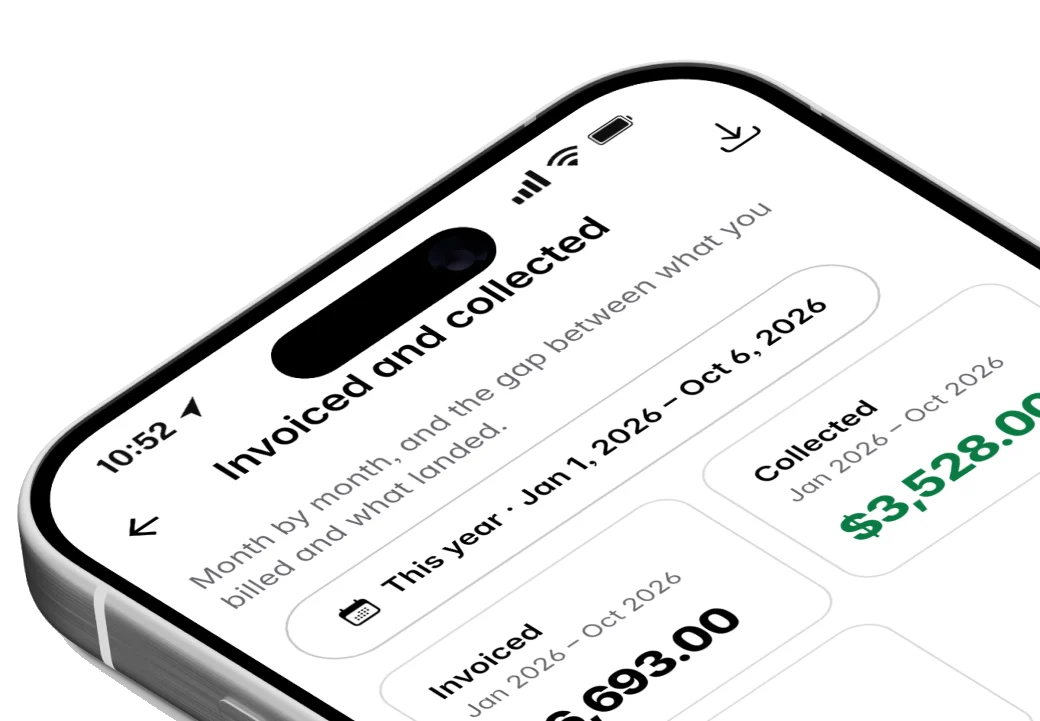
Taxation, the transaction list and invoiced and collected export to CSV for Excel or Google Sheets. No copying figures by hand, and no waiting until the end of the quarter to find out a month went badly.
How it works
Open Insights
More → Insights in the app, or Insights in the sidebar on the web. Only owners and admins see it, and the reports are the same on both.
Pick the dates
This week, this month, last month, this year or your own range. The range carries across reports as you move between them.
Read the report
Pick one of the 18, grouped under Money, Work and Clients. Some, like aged receivables and projected income, are "right now" reports with no date range.
Export it
Tap "Export CSV" to share the report as a spreadsheet that opens in Excel or Google Sheets, or send it straight to your accountant.
Set a goal and check in
Set a revenue goal for the month or the year, and open the dashboard each week to see how far along you are and read the weekly note.
In more detail
The 18 reports
Money: invoiced and collected, aged receivables, projected income, transaction list, taxation and bad debt. Work: job costing, quote performance, products and services, team productivity, visits, recurring work, checklists and payroll. Clients: client revenue, lead sources, re-engagement and the property list. Aged receivables, projected income, bad debt, re-engagement and the property list describe the business right now; the rest follow the dates you pick. Re-engagement is the one to open in a slow week: it lists clients you have not worked for in a while, so you know who to get back in touch with.
A revenue goal and the owner’s dashboard
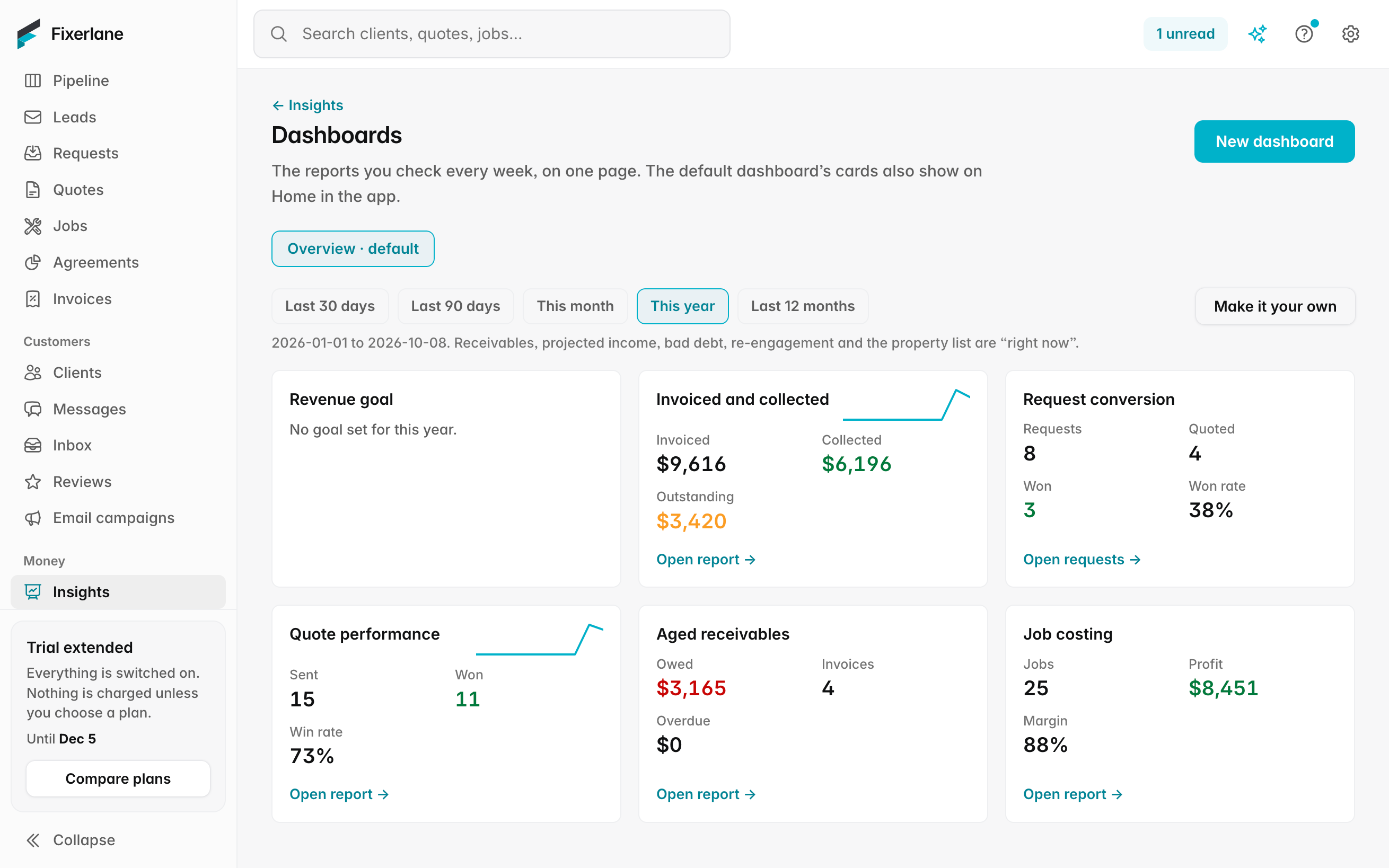
Set a revenue goal for the month or the year and the dashboard shows how far along you are, next to what is invoiced, collected and still owed. It is the page to open on a Monday morning before the phone starts ringing. The goal is yours to set and change; Fixerlane does not suggest one or compare you with other businesses.
A revenue map
The revenue map puts your revenue on a map by where the work was, so you can see which neighborhoods bring the most work and where your service area could be tighter. It is built from the addresses on your own invoices, and only owners and admins can see it.
A weekly note from Fixerlane AI
Once a week Fixerlane AI writes a short note on the business: what came in, what is overdue, what changed from last week. It is a summary to read, not advice, and it uses a few AI credits. It is off until the owner turns it on, and can be switched off again any time. It is written from the figures in your reports and goes only to owners and admins.
What it costs
Included in every plan: Fixerlane $19.99 a month for up to 10 people, Fixerlane Team $39.99 for up to 25, Fixerlane Business $69.99 for up to 50. Every plan starts with a 14-day free trial, and no card is needed to start.
See all plans →Not built yet
Listed here rather than discovered after you sign up:
- Building your own custom reports: the 18 are fixed, and CSV export covers the rest
- Scheduled report emails other than the weekly note
Common questions
- Who can see reports?
- Owners and admins. Reports show the business’s money, so office staff and crew do not get the Insights entry at all. Give someone the admin role if they need the reports to do their job.
- How do I see which of my crews gets through the most work?
- Team productivity shows the work by person for the dates you pick, and the visits report shows the visits in that period. Read them together, alongside job costing, rather than judging anyone on a single figure.
- Can I export reports?
- Yes. Every report has "Export CSV", which opens in Excel or Google Sheets.
- Is the weekly note financial advice?
- No. It summarizes figures already in your account, and uses a few AI credits each week once the owner turns it on (it is off until then). Check anything important against the reports before you act on it, and turn the note off if you would rather not have it.
- Which report shows how many quotes I win?
- Quote performance shows quotes sent and approved. Quotes signed on the spot count as sent, and change orders are left out so they do not skew the figure.
- Do reports work in the app?
- Yes. Insights is in the app under More and on the web, with the same reports and the same CSV export. The date range you pick carries across reports in both, so you can compare money and work for the same weeks.
- Can I see projected income?
- Yes. Projected income is a "right now" report built from the work you have booked and not yet billed.
- Can I get the figures for my sales tax return?
- The taxation report shows the tax charged on invoices for the dates you pick, and exports to CSV. Check it with your accountant before you file; it is a record, not tax advice.
Works well with
Job costing
Fixerlane puts the time, expenses and miles logged against a job next to what you charged for it, so you can see profit and margin per job instead of guessing at the end of the year.
Invoicing
Raise the invoice from the job you just finished, send it with a payment link, and see what is still owed without opening a spreadsheet.
Fixerlane AI
Ask what is on tomorrow, who owes you money or how last month went, by typing or speaking. Have it draft a quote, book a visit or write a reply. It shows you what it will do, and waits for you to confirm.
Lead inbox
Every enquiry lands in one list, with what the customer needs, where they are and how to answer them. Receiving leads and replying to them is free, with or without a plan.
The same tools in the Fixerlane app
Fixerlane runs in the browser and on Android and iPhone, with the same tools in each. The app keeps your day on the phone, so it keeps working without signal.


Try it on your own work
Start the 14-day trial with no card, or claim your free listing first and add the tools later.
All features →