GPS tracking
GPS crew tracking that stops when the shift does
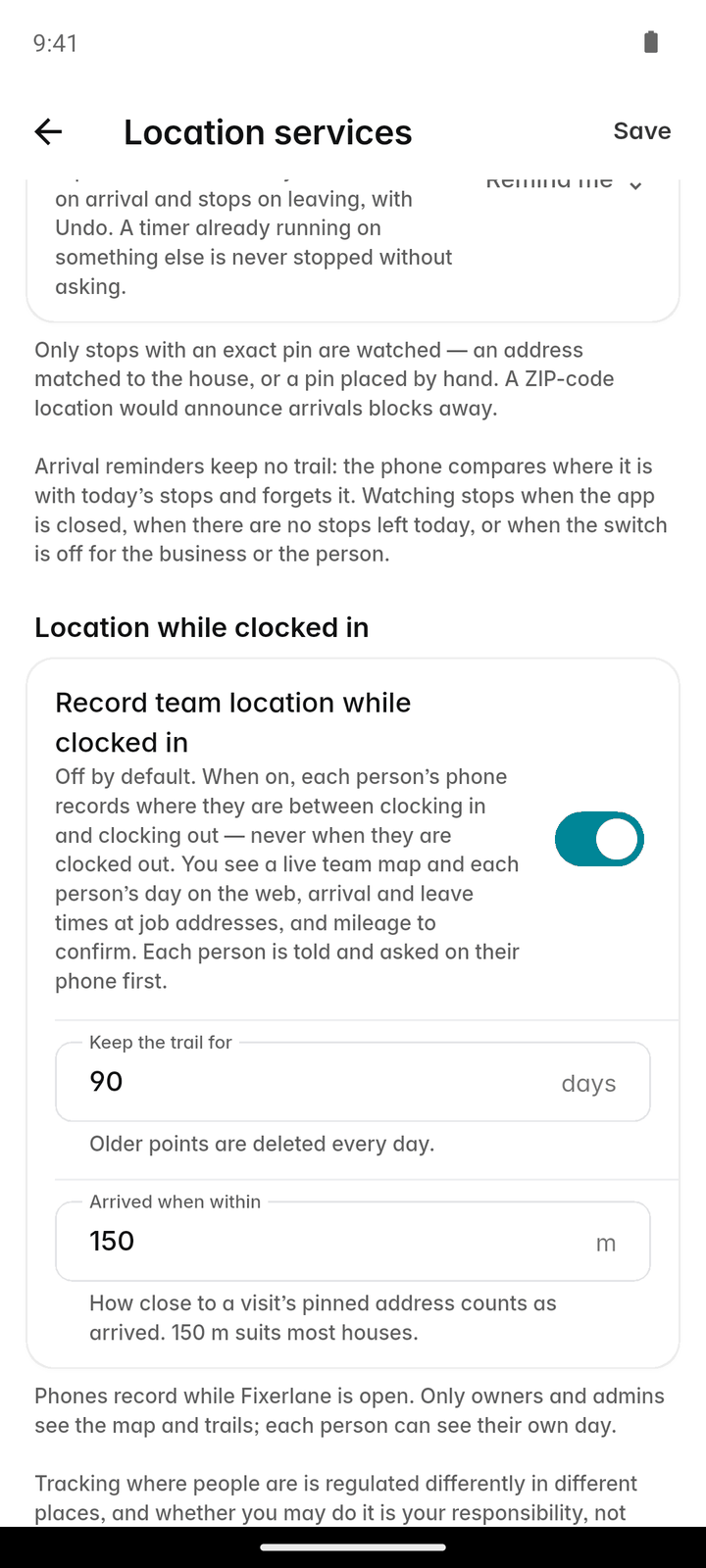
Turn it on and you can see where your team is during working hours and when they reached each visit. It records only while someone is clocked in, and only owners and admins can see it.
14-day free trial, no card · listing and leads free forever
Why pros use it
Answer “where are they?” without a call
When a customer asks when the crew will arrive, look at the map instead of ringing the van. You see where each clocked-in person is now and which visit they are heading to, and the crew keeps working instead of answering the phone.
Arrival times you can point to
Each visit shows when the crew reached the address and when they left. If a customer says nobody came, you have a record rather than a memory.
Nothing outside working hours
Location is recorded only between clock-in and clock-out. Off the clock, at lunch after clocking out, or on a day off, the app records nothing.
How it works
The owner turns it on
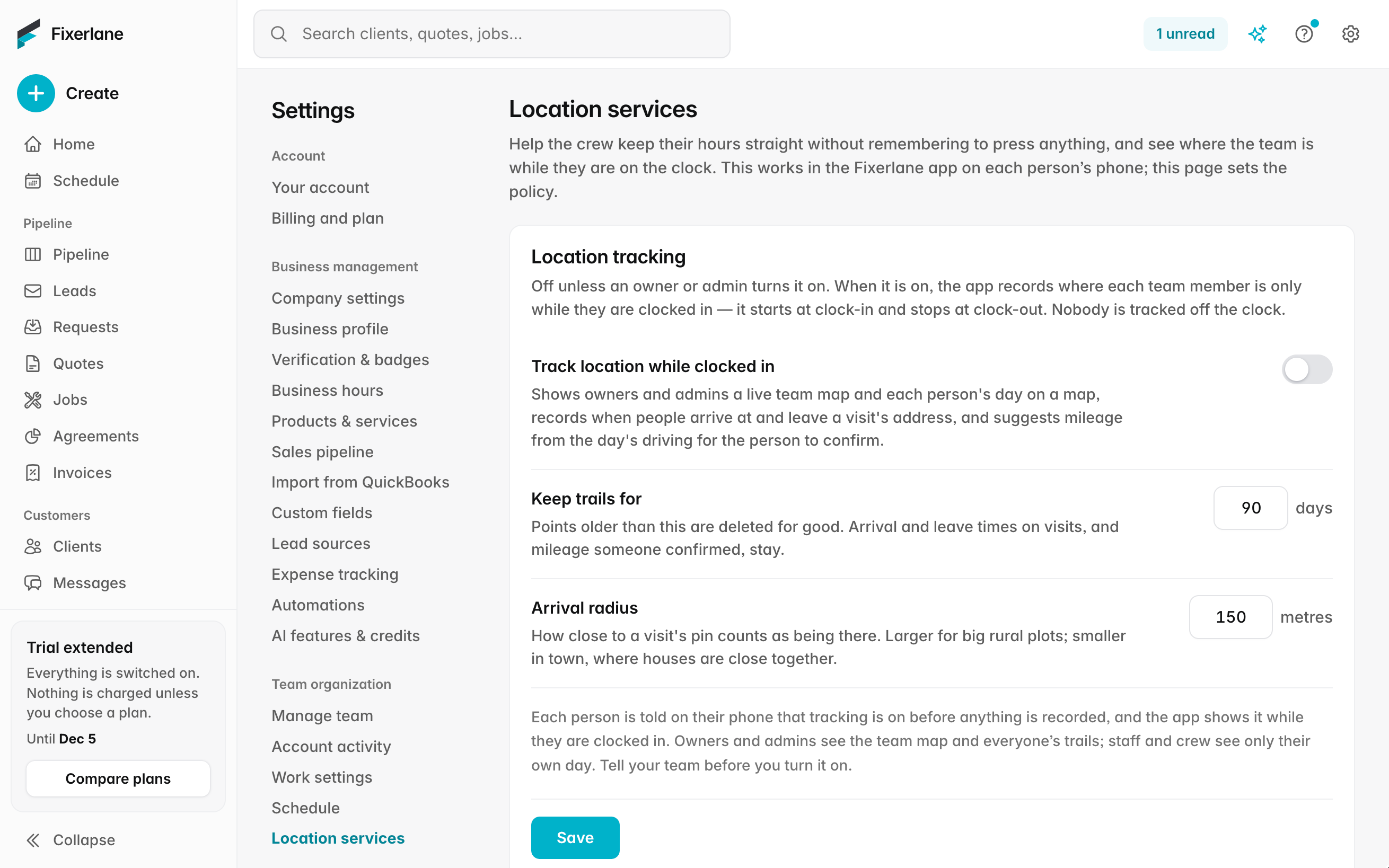
GPS tracking is off until the business owner switches it on for the business in Settings → Location services. Nothing is recorded before that.
You tell your team
Before you switch it on, tell everyone it covers that their location is recorded while they are clocked in, and why. Some states require written notice or consent; follow the law where you work.
Each phone gives permission
Each person allows location on their own phone. Because the phone is often in a pocket during a shift, the app asks for background location so it can keep recording while they are clocked in.
Clock in, and it starts
From clock-in to clock-out the app records the phone’s position. When they clock out, it stops.
See the day
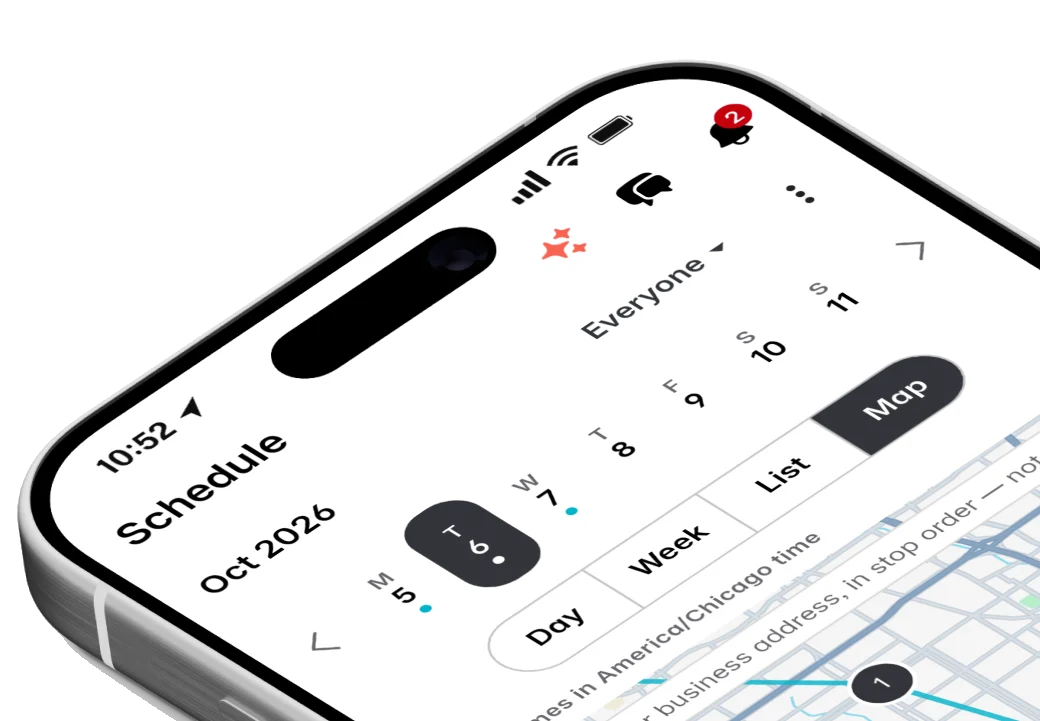
Owners and admins open the map to see where people are now, the route each person took, and the arrival time at every visit.
In more detail
Who can see it
Only owners and admins can see the map, the trail and the arrival times. Office staff and crew cannot see each other’s location. Customers never see a crew member’s location. Fixerlane does not use the location to advertise anything, and does not sell it. The business owner decides whether to track and is responsible for telling the team, the same way an employer is responsible for any other record it keeps about its staff.
Kept for 90 days, then deleted
Location points are kept for 90 days and then deleted automatically. What you keep longer is what you already keep: the time entries, the arrival time on each visit and the mileage log. If you need a day’s trail for longer, save what you need before the 90 days are up.
Mileage from the trail
Driving recorded while someone is clocked in can fill the mileage log, with the job it belongs to, instead of everyone writing down odometer readings at the end of the day. Check the trips before you use them for reimbursement or taxes. A trip can be edited or deleted like any other mileage entry, and the trips count at your rate per mile in job costing, so driving to a far-off job shows up in what that job really cost.
Arrival reminders still work without it
If you would rather not track, arrival reminders are a lighter option. When someone reaches a visit’s address with the app open, it asks "Arrived at …?" and offers to start their timer, and offers to stop it when they leave. Those reminders keep no trail: only where they clocked in and out is recorded.
What it costs
Included in every plan: Fixerlane $19.99 a month for up to 10 people, Fixerlane Team $39.99 for up to 25, Fixerlane Business $69.99 for up to 50. Every plan starts with a 14-day free trial, and no card is needed to start.
See all plans →Not built yet
Listed here rather than discovered after you sign up:
- Route optimisation by road: "Optimise my day" orders stops by straight-line distance
- Live location shared with customers
- Vehicle trackers or fuel cards: tracking comes from the team’s own phones
Common questions
- Does Fixerlane track my employees all the time?
- No. It records location only while a team member is clocked in, and only if the business owner has turned GPS tracking on for the business. Clocked out, nothing is recorded.
- Why does the app ask for background location?
- So it can keep recording while the phone is in a pocket or the screen is off during a shift. It uses that permission only while the person is clocked in. They can change the permission in their phone settings at any time; tracking then stops working for them.
- Who can see where my crew is?
- Owners and admins of your business. Not office staff, not other crew members, and not your customers.
- How long is location kept?
- 90 days. After that the location points are deleted automatically. Time entries, visit arrival times and mileage you have logged stay with your records.
- Do I need my employees’ consent?
- You must tell your team that location is recorded while they are clocked in, and follow the law where you work. Some states require written notice or consent before you track employees. If you are unsure, ask an employment lawyer.
- Does it drain the battery?
- Recording position uses some battery, which is why it runs only during a shift. A phone that starts the day charged usually gets through it; a charger in the van helps on long days.
- Can I turn it off again?
- Yes. An owner or admin can switch it off for the business, and recording stops. Points already recorded are deleted on the usual 90-day schedule.
- Can a team member see their own trail?
- The map and trails are for owners and admins. Each person sees their own clock-ins, time entries and mileage in the Timesheet tab, as they do without tracking.
Works well with
Timesheets and payroll
The team clocks in to what they are doing, you approve the week, and Fixerlane hands you a payroll file with regular and overtime hours worked out. You pay people the way you already do.
Team and crews
Add the people who work for you, decide what each of them can see and do, and put them into crews you can send to a job in one go. Plans are priced by team size, not per user.
Scheduling
Jobs, visits and arrival windows laid out by day and by person, so you can see the week at a glance and move it around without a phone call to every customer.
Mobile app
Everything the web console does is in the app, and the app keeps working in basements, crawl spaces and dead zones. Changes wait on the phone and send themselves when signal comes back.
The same tools in the Fixerlane app
Fixerlane runs in the browser and on Android and iPhone, with the same tools in each. The app keeps your day on the phone, so it keeps working without signal.


Try it on your own work
Start the 14-day trial with no card, or claim your free listing first and add the tools later.
All features →