Timesheets and payroll
Timesheets and a payroll export your provider can read
The team clocks in to what they are doing, you approve the week, and Fixerlane hands you a payroll file with regular and overtime hours worked out. You pay people the way you already do.
14-day free trial, no card · listing and leads free forever
Why pros use it
Time that follows the work
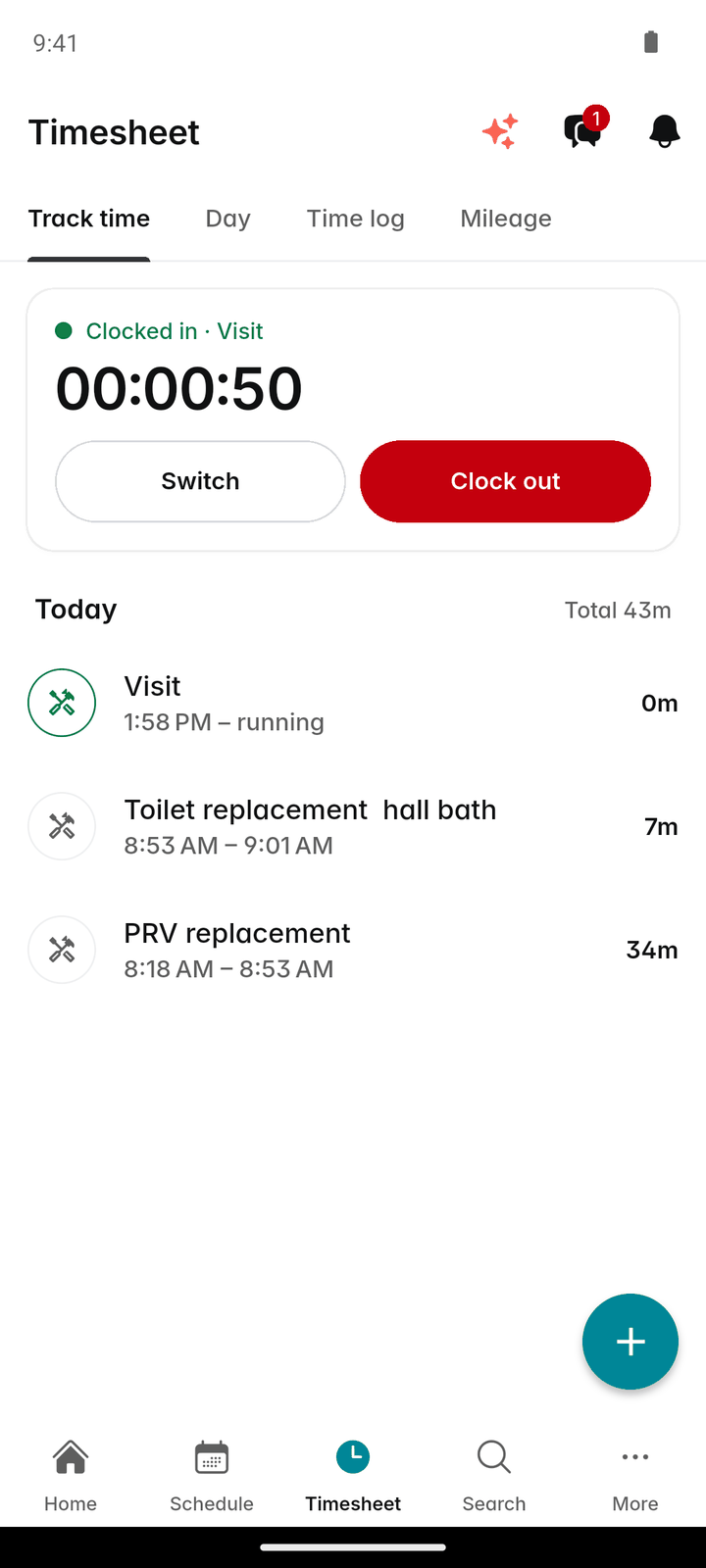
Starting a visit switches the clock to that visit, and completing it stops it. Hours land on the right job without anyone choosing it from a list.
Approve, then export
Only approved hours count as due. Approve a whole week at once or entry by entry, then export the file your payroll provider asks for. Once a period is marked paid, its hours are locked, so last month’s payroll cannot change underneath you.
Works without signal
The clock works offline. A crew in a basement or a rural lot clocks in as usual, and the time syncs when the phone finds signal.
How it works
Clock in to what you are doing
On the Timesheet tab or the clock card on Home, pick Visit, Driving, Office, Supplies, Break or General and tap "Clock in". Tap "Switch" to change task and "Clock out" at the end of the day. Starting a visit does the switching for you.
Fix what was missed
The Time log shows each week, Sunday to Saturday, with its total. Tap "Add time" for forgotten hours, or tap an entry to edit or delete it.
Approve the team’s week
Owners and admins switch the Time log to Team and tap "Approve week", or approve entries one at a time.
Check the period
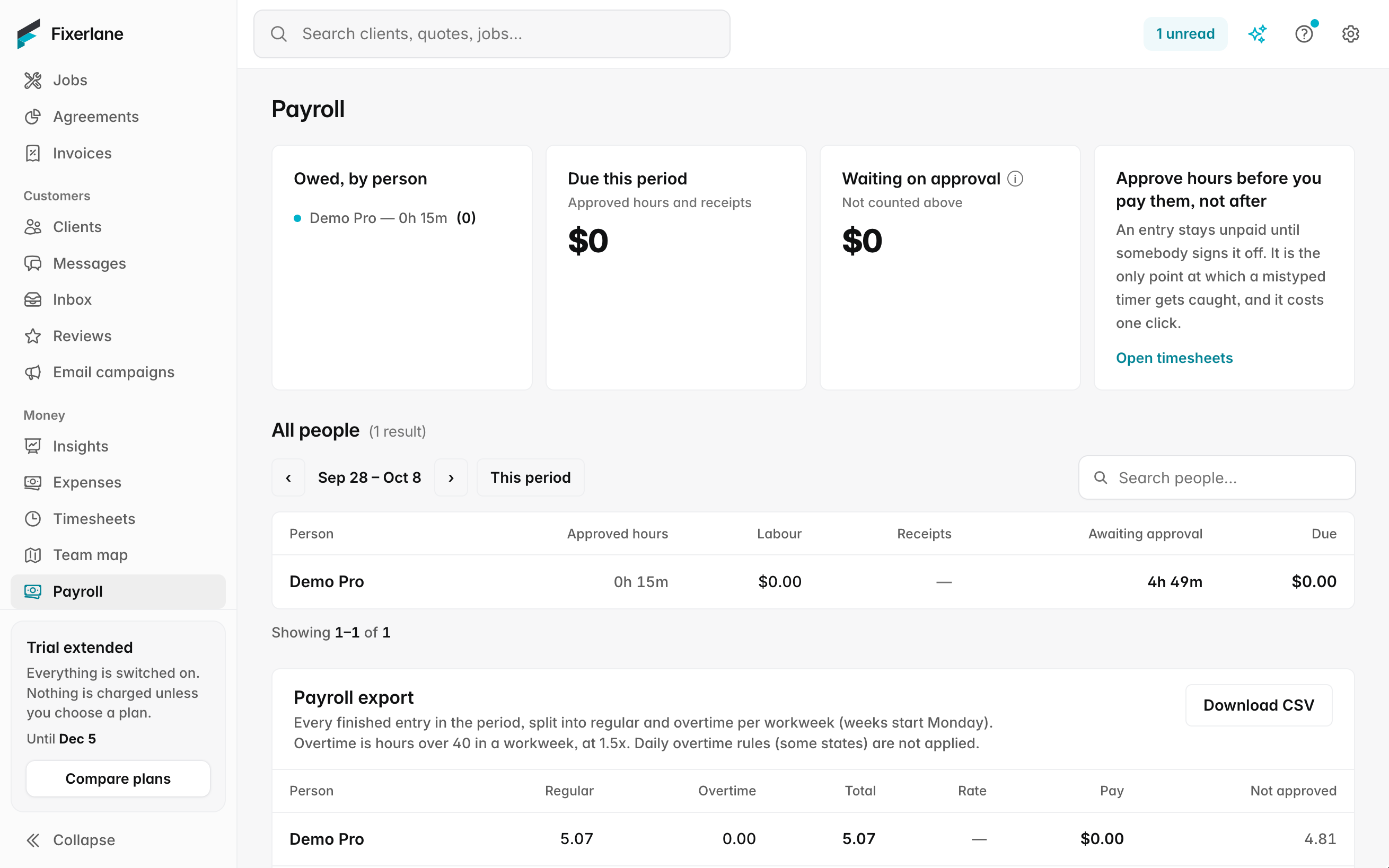
More → Payroll opens on the two weeks ending today. For each person you see what is due, approved hours plus receipts to reimburse, and what is still waiting on approval.
Export and pay
More → Payroll shows each person’s due for the period. Export the payroll CSV, pay your people as usual, then tap "Mark … as paid" to close the period.
In more detail
Six categories, counted honestly
Visit, Driving, Office, Supplies, Break and General cover a field day. Break is a category like the others and its time counts in the hours, so the team clocks out for unpaid breaks. Each entry can carry a job, which is how labour reaches job costing. Driving and supplies runs are logged as what they are, so you can see how much of a paid day was spent between jobs rather than on them.
The payroll CSV
The Payroll CSV card gives the file most payroll providers want: person, role, regular and overtime hours, rates and pay, and hours still waiting on approval. Overtime is weekly, after 40 hours at 1.5×, and you can change the threshold. Daily overtime rules are not applied, so check them if your state has them. A second export gives the summary: approved hours, labour, receipts to reimburse, waiting on approval and due. Hours still waiting on approval are listed apart, so nobody is paid for time a manager has not looked at, and nobody’s late entry quietly goes missing from the period either.
Mileage and receipts in the same period
The Mileage tab logs trips in miles, with where from and to and the job. Receipts a person paid for themselves and marked "reimburse me" show in their payroll line, so the period covers what they are owed, not only their hours.
Day sheets for the crew
A day sheet lists one person’s visits for the day in order, with addresses, times and instructions, to print or share before the van leaves. It is handy for helpers who are on the schedule by name and never open the app, and for a crew lead who wants the whole day on one page. The hours themselves still come from the clock, so the day sheet is the plan and the timesheet is what happened.
What it costs
Included in every plan: Fixerlane $19.99 a month for up to 10 people, Fixerlane Team $39.99 for up to 25, Fixerlane Business $69.99 for up to 50. Every plan starts with a 14-day free trial, and no card is needed to start.
See all plans →Not built yet
Listed here rather than discovered after you sign up:
- Running payroll or paying wages: Fixerlane never moves the money
- Direct connections to payroll providers: you export a CSV and upload it
- Daily overtime rules
Common questions
- Does Fixerlane run payroll?
- No. Fixerlane works out the hours and what each person is due, and gives you a CSV for your payroll provider or accountant. You pay people the usual way and then mark the period paid.
- How is overtime worked out?
- Weekly: hours over 40 in a week are paid at 1.5×. You can change the threshold. Daily overtime is not applied, so if your state has a daily rule, adjust for it before you pay.
- Can a crew member change their own hours?
- They can add and edit their own entries. Editing time that was already approved sends it back for approval, and time that has been paid cannot be changed.
- What if someone forgets to clock out?
- Edit the entry and set the right end time. If it was approved, it goes back for approval so a second pair of eyes sees the change.
- What length is a pay period?
- Payroll opens on the two weeks ending today. You can step back and forward, or pick your own dates.
- Does clocking in need signal?
- No. The clock works offline and the time syncs when the phone reconnects.
- Can staff see each other’s pay rates?
- No. Office and crew see their own time and receipts. Pay rates, payroll and other people’s time are for owners and admins.
- Can I see hours by person over a month?
- Yes. The team productivity report in Insights shows hours by person for any date range, and the payroll report covers what was due and paid. Both export to CSV.
Works well with
GPS tracking
Turn it on and you can see where your team is during working hours and when they reached each visit. It records only while someone is clocked in, and only owners and admins can see it.
Team and crews
Add the people who work for you, decide what each of them can see and do, and put them into crews you can send to a job in one go. Plans are priced by team size, not per user.
Job costing
Fixerlane puts the time, expenses and miles logged against a job next to what you charged for it, so you can see profit and margin per job instead of guessing at the end of the year.
Expenses and receipts
Photograph a receipt at the supply counter and the expense fills itself in for you to check. Put it on the job, pay back whoever bought it, or add it to the client’s invoice.
The same tools in the Fixerlane app
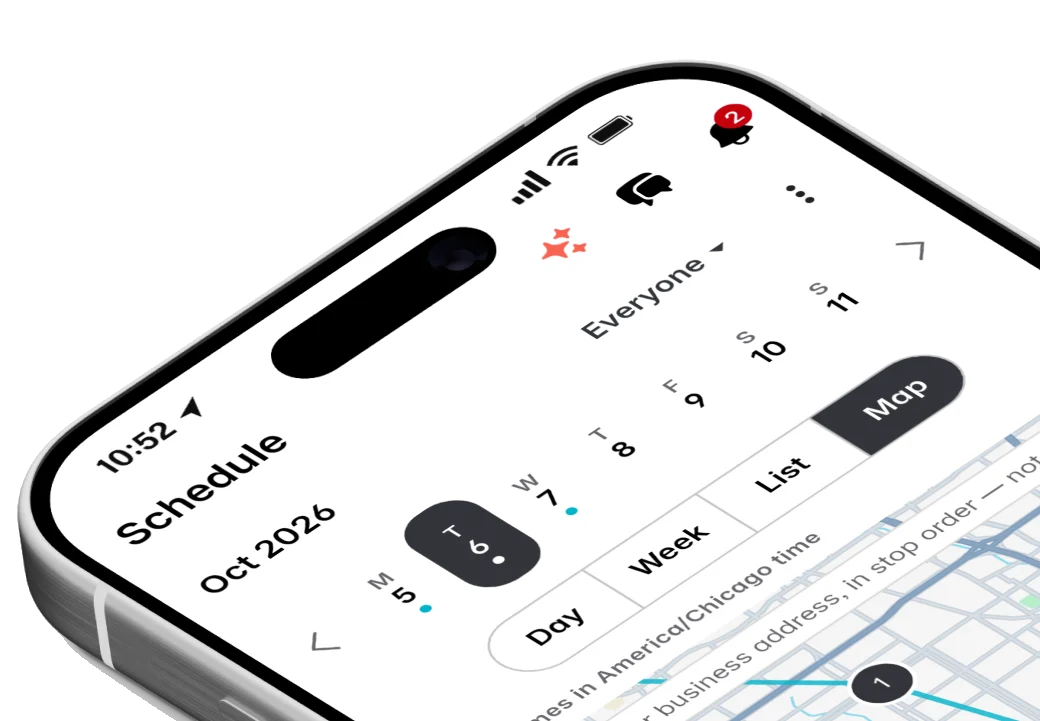
Fixerlane runs in the browser and on Android and iPhone, with the same tools in each. The app keeps your day on the phone, so it keeps working without signal.


Try it on your own work
Start the 14-day trial with no card, or claim your free listing first and add the tools later.
All features →