Service agreements
Service agreements and recurring jobs for maintenance work
Set the visits once and Fixerlane keeps booking them. Set the price once and it bills the client every month, quarter or year, by emailed invoice or their saved card.
14-day free trial, no card · listing and leads free forever
Why pros use it
The calendar fills itself
A recurring job books its own visits months ahead and tops them up as time passes, so a plan with no end keeps going without you.
Billing you do not chase
An agreement raises and emails the invoice each period, or charges the card the client saved, so maintenance income arrives on a schedule instead of whenever you find an evening to bill. Slow months are easier to plan for when the plans you sold keep billing through them.
Agreed in writing
The client reads the terms and approves the agreement from a link before any billing starts, and price changes ask them to approve again.
How it works
Make the job repeat
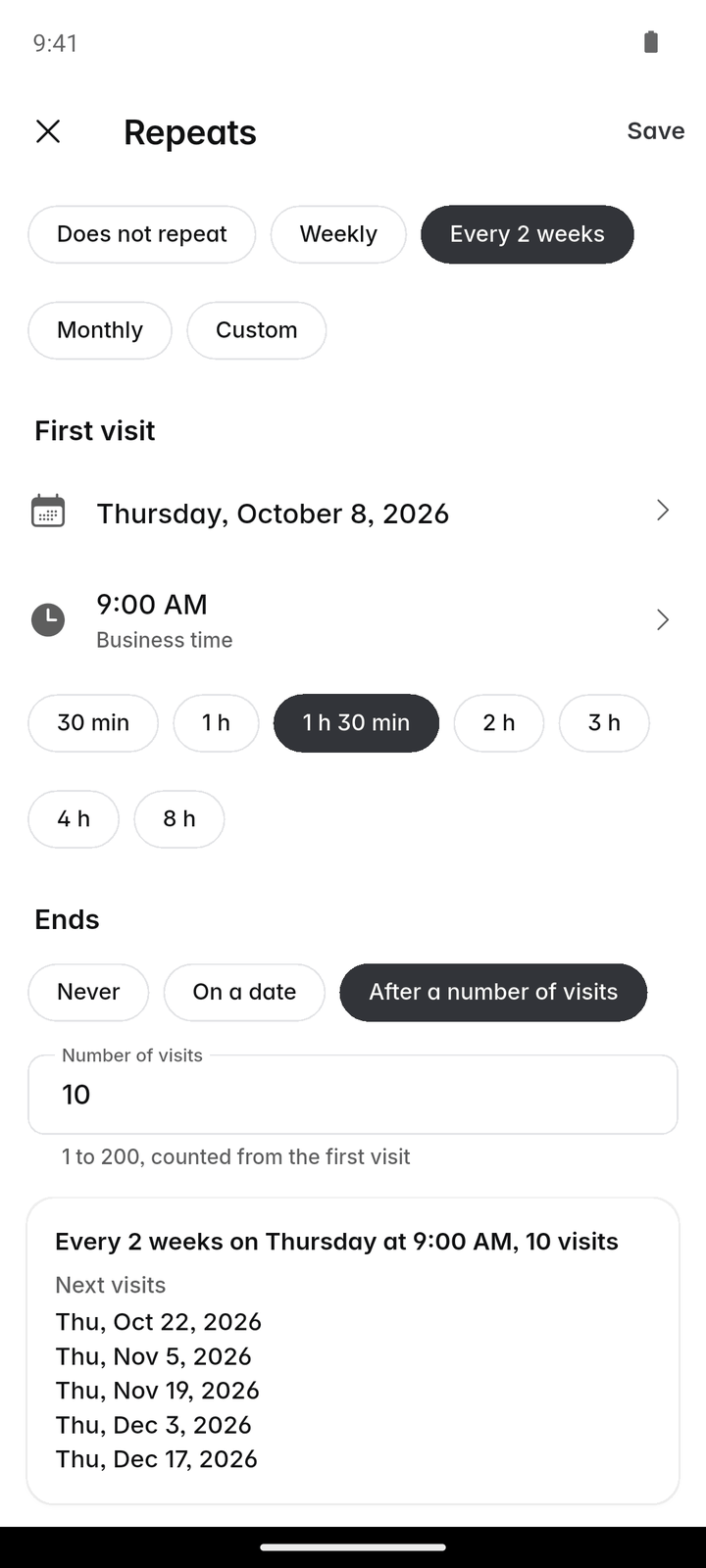
On a job, tap "Repeats" and choose Weekly, Every 2 weeks, Monthly or Custom, with the first day, the time and how long each visit takes.
Choose when it ends
Never, on a date, or after a number of visits, up to 200. Check the sentence and the next visit dates underneath, then save.
Add the agreement
More → Service agreements → Agreement: the client, a name, the price, how often (monthly, quarterly or yearly), the start and end, and how it is paid.
Send it for approval
Tap "Send for approval" or "Copy link". The client reads the terms and approves, and saves a card if you bill one.
Start billing
Tap "Start billing". Each period an invoice is raised and emailed, or the saved card is charged.
In more detail
Recurring jobs that look after themselves
Custom schedules run every 1 to 52 weeks or months. Weekly and every-2-weeks visits fall on the first visit’s weekday; monthly ones fall on its day of the month, and a plan started on the 31st uses the last day of shorter months. Visits are booked about four months ahead, never in the past. You can still move, reassign or delete a single visit, and a deleted one is not booked again. Custom covers rhythms such as every 6 weeks or every 2 months.
Changing or stopping a schedule
Saving a new schedule replaces the upcoming visits from the old one; "Does not repeat" stops it and takes the upcoming visits off the calendar. Visits that are finished, started, have photos, or that you booked yourself are never removed. While a job is on hold, no new visits are booked, and they start again when you resume it.
Agreements: the money side
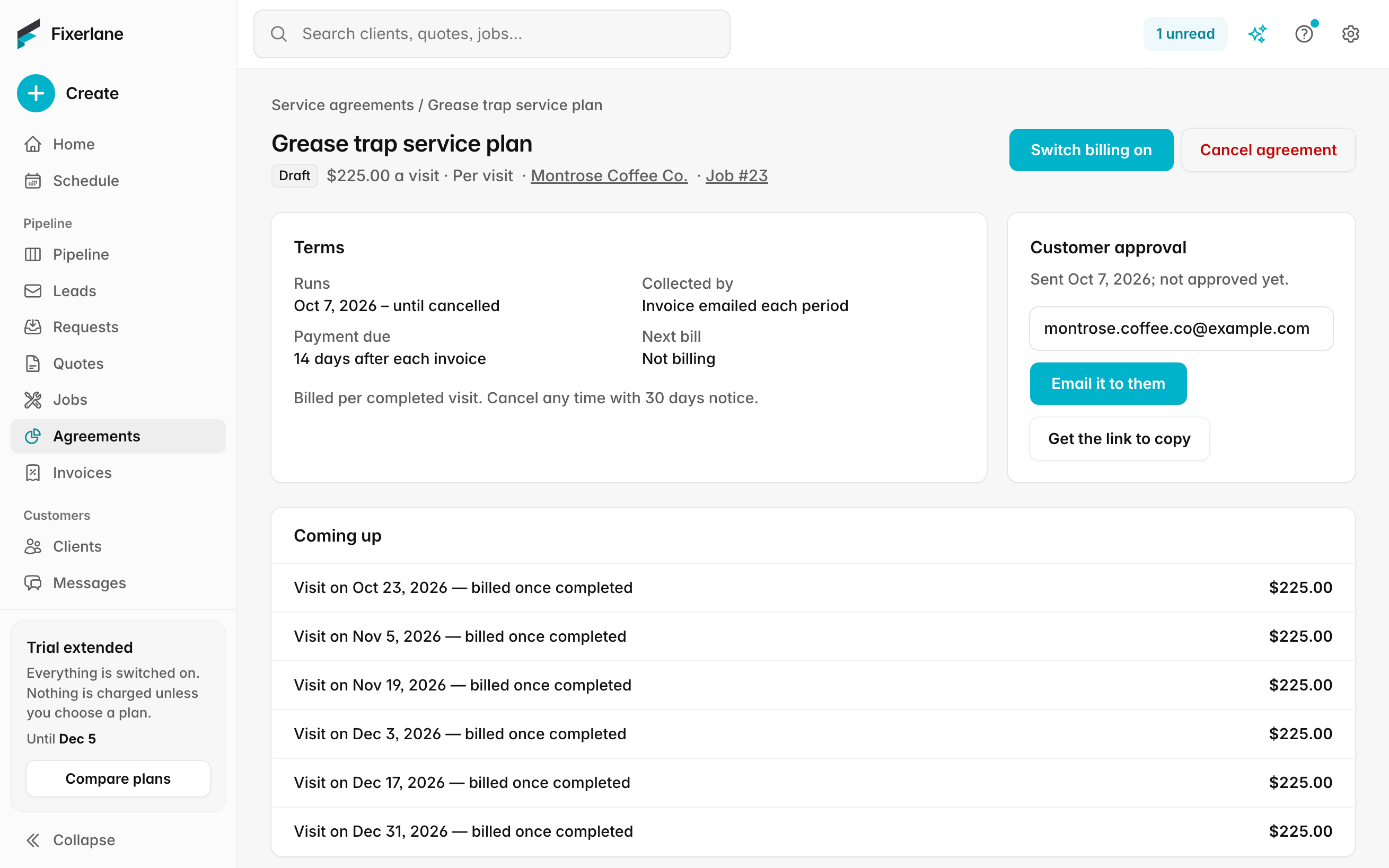
An agreement is the billing only; the visits come from the recurring job. Billing starts with the first period from today, and past periods are never billed. Paid by invoice, it is emailed with the due date you chose. Paid by saved card, the charge only works once the client has approved and saved a card; if a charge fails, the invoice stays open and you are told. The card is held by Stripe, not by Fixerlane, and the terms you write are shown to the client before they approve, so they know what they are agreeing to be charged and how often.
Pause, cancel, renew
"Pause" stops billing, and periods missed while paused are not caught up. "Cancel agreement" stops all billing and removes the saved card; invoices already raised stay as they are. Turn on "Renew automatically" for agreements that roll over, or set an end date for a fixed term such as one season. Service agreements are for owners and admins, because they decide what a client is charged and when; the crew simply sees the recurring visits on their schedule.
What it costs
Included in every plan: Fixerlane $19.99 a month for up to 10 people, Fixerlane Team $39.99 for up to 25, Fixerlane Business $69.99 for up to 50. Every plan starts with a 14-day free trial, and no card is needed to start.
See all plans →Not built yet
Listed here rather than discovered after you sign up:
- Member pricing or discounts applied automatically to a client’s other jobs
Common questions
- What is the difference between a recurring job and a service agreement?
- A recurring job books the visits. A service agreement bills the money. Use both for a maintenance plan, or only the recurring job if you invoice the visits as you finish them.
- How far ahead are visits booked?
- About four months, topped up as time passes, so a plan with no end keeps going. No visits are booked in the past.
- Can the client pay by card automatically?
- Yes. Choose to charge the client’s saved card. The client approves the agreement and saves a card, which authorises the charges. Fixerlane never stores the card; Stripe does.
- What if I change the price?
- Changing the price or how the agreement is paid after approval asks the client to approve it again.
- Can I bill visits instead of a flat price?
- Yes. Without an agreement, bill finished visits from Invoices → Batch, and turn on "Remind me to invoice recurring work" to see visits that are done but not billed under "To invoice".
- What happens if a card payment fails?
- The invoice for that period stays open and you are told, so you can contact the client or take payment another way.
- Does pausing an agreement stop the visits?
- No. Pausing stops billing only. To stop visits, change the job’s schedule to "Does not repeat" or put the job on hold.
- Can a recurring job end after a set number of visits?
- Yes. Choose to end it never, on a date, or after a number of visits, up to 200. The next visit dates are listed under the schedule before you save, so you can check them.
Works well with
Scheduling
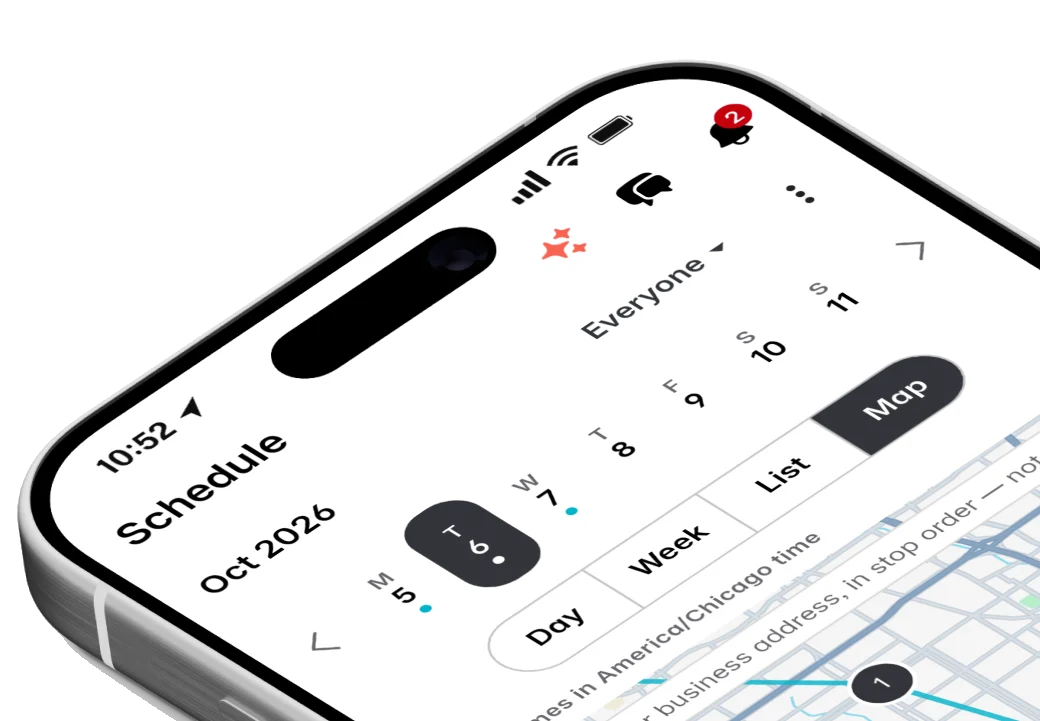
Jobs, visits and arrival windows laid out by day and by person, so you can see the week at a glance and move it around without a phone call to every customer.
Payments
Customers pay from the quote or invoice link, or tap their card on your phone. The money goes into your own Stripe account, and Fixerlane takes nothing from a card payment.
Invoicing
Raise the invoice from the job you just finished, send it with a payment link, and see what is still owed without opening a spreadsheet.
Checklists
Write down how a job is done once, and every visit after that follows the same steps, with the photos and signatures to prove it.
The same tools in the Fixerlane app
Fixerlane runs in the browser and on Android and iPhone, with the same tools in each. The app keeps your day on the phone, so it keeps working without signal.


Try it on your own work
Start the 14-day trial with no card, or claim your free listing first and add the tools later.
All features →